MagSafe charging[^1] is designed to be a convenient and efficient way to charge your iPhone and other devices, but like all wireless charging systems[^2], it generates some level of heat during operation[^3]. This is a natural result of electromagnetic energy being converted into electrical power. But how hot does MagSafe charging[^1] get, and is it safe to use overnight? Let’s break down the temperature concerns and what you can do to ensure safe and efficient charging.
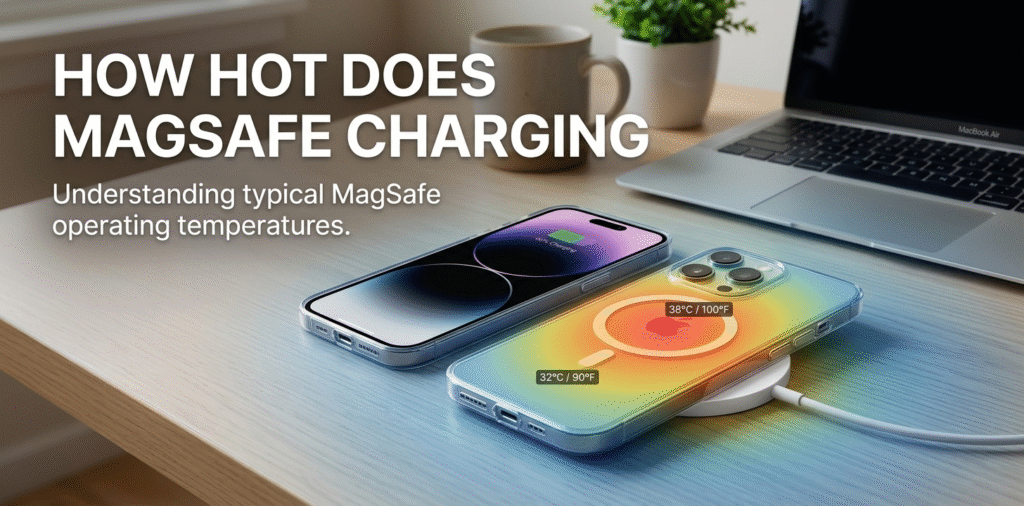
MagSafe charging[^1] can make your iPhone warm, often between mildly warm and noticeably hot, depending on wattage, case, and ambient conditions. Most heat is normal, but persistent high temperatures[^4] need attention.
Does MagSafe charging[^1] get hot?
I wondered whether the warmth I felt was normal.
Yes. MagSafe charging[^1] generates more heat than wired charging. The magnetic alignment reduces coil loss, but wireless energy transfer still causes heat in the phone, charger, and any case. Heat level varies with power level and usage.
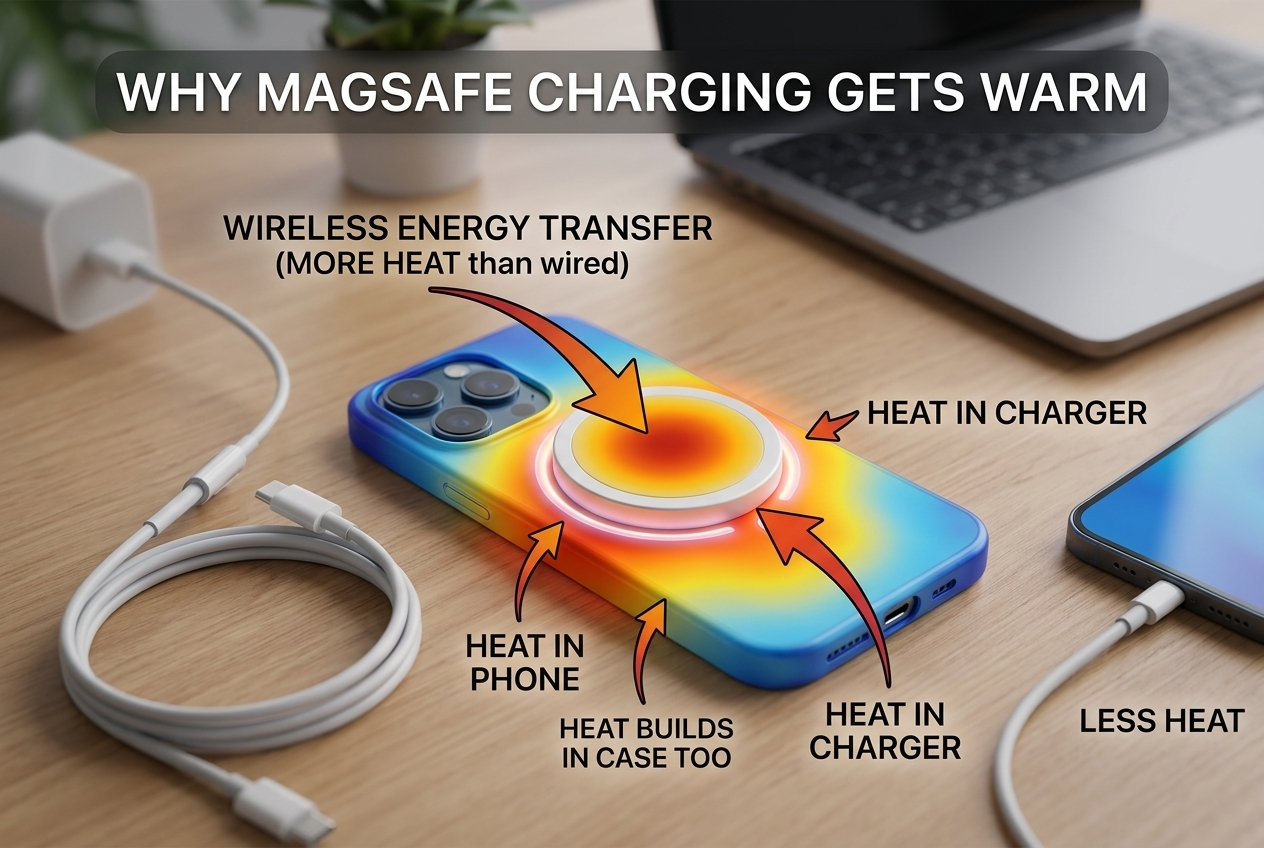
I tested MagSafe and wired charging side by side. MagSafe felt warmer after 20 minutes. The phone still charged safely.
why MagSafe heats devices and what affects temperature MagSafe uses wireless power transfer through coils. When electricity moves through coils, some energy becomes heat. This applies to the charging puck and the phone’s receiver coil. MagSafe supplies up to 15W for compatible iPhones, which is higher than many standard Qi pads. Higher power means more potential heat. Case material matters. Thick, metal, or poorly ventilated cases trap heat and can raise temperature. Active phone use while charging, like streaming video or gaming, increases internal heat. Ambient temperature also affects results. Chargers and phones include thermal management[^5]. The iPhone will throttle charging speed[^6] if internal temperature gets too high. The MagSafe puck can feel hot because it is near the coils. Short charge bursts generate less heat than long, high-watt charging sessions. In practice, expect MagSafe to be warmer than a wired PD charge, but usually within safe limits if you use quality accessories and avoid heavy phone use while charging.
Is it safe to use MagSafe overnight?
I worried about leaving my phone on the MagSafe pad all night.
Overnight MagSafe use is generally safe if you use Apple or reputable certified chargers and good cases. The iPhone has thermal and battery management to limit risk. Still, avoid poor-quality chargers and keep the phone on a hard, flat surface[^7] for airflow.
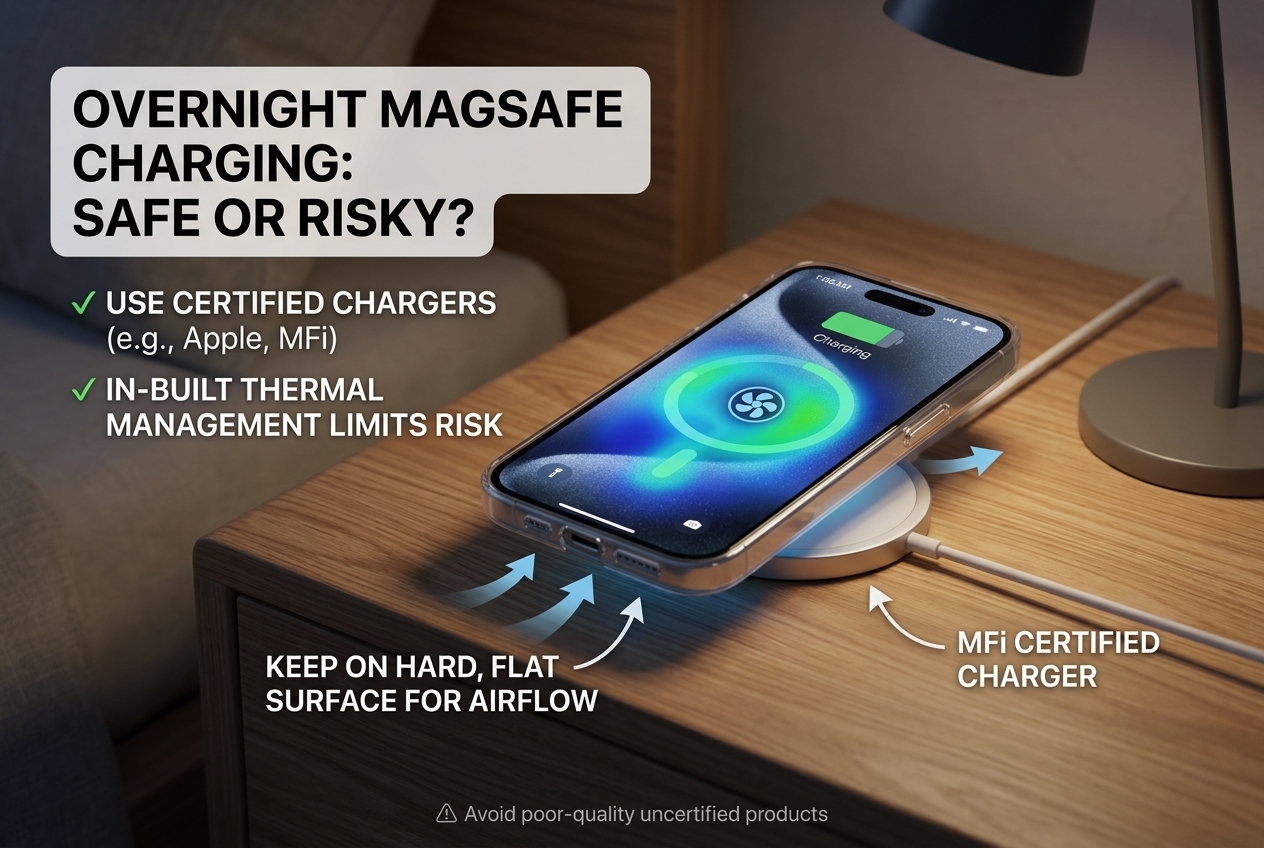
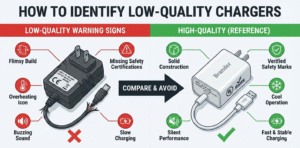
I charged overnight once with a certified MagSafe charger and saw normal battery behavior the next day. I stopped using a cheap knockoff after it got hot.
risks, iPhone protections, and best overnight practices Modern iPhones include battery and thermal protections. The phone limits charging speed[^6] if temperatures rise. iOS also uses optimized battery charging[^8] to reduce long full-charge time at 100%. These systems reduce long-term battery stress. However, risks come from low-quality chargers and obstructive cases. Cheap MagSafe-like chargers can lack safety circuits and run hotter. Cases with metal or thick insulation can trap heat, which increases battery temperature overnight. High ambient room temperature or placing the phone under pillows raises risk further. To charge safely overnight, use Apple MagSafe chargers or certified third-party options with good reviews. Remove bulky or metal cases if you notice extra heat. Place the phone on a hard, cool surface with space for airflow. If the phone or charger feels unusually hot to the touch, stop charging and inspect the gear. These steps keep overnight charging safe and protect battery health.
How hot is too hot for MagSafe charging[^1]?
I wanted a clear limit to know when to stop.
If the phone or charger feels uncomfortably hot to touch, above normal warmth, or you see warning messages, stop charging. Persistent temperatures above 45–50°C are worrisome and need action.
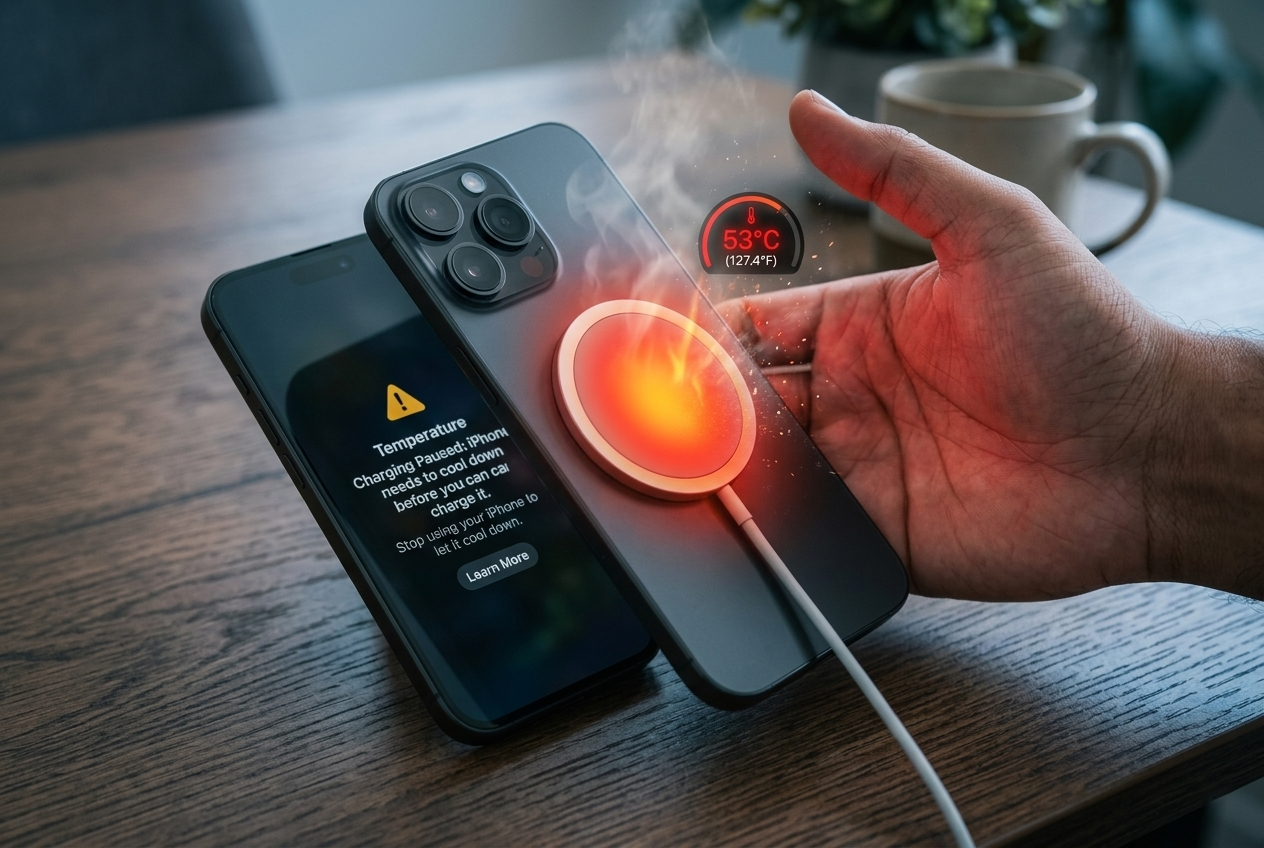
I felt my charger get very hot once and unplugged it immediately. That prevented further issues.
temperature signs, warnings, and what to do if overheating Most people judge heat by touch. Mild warmth is normal. If you cannot comfortably hold the phone or puck, that is a warning. iPhones may display notifications about high temperature and pause charging. That is the system protecting itself. If temperature remains high, stop charging and let things cool. Inspect the cable, puck, and power adapter for damage. Try charging without the case[^9] to see if temperature drops. Use a different certified charger or cable as a test. If overheating repeats with multiple certified chargers, contact Apple or a professional. Do not place the phone on soft surfaces like beds or couches while charging. Avoid charging near radiators or in direct sunlight. These steps reduce the chance of heat-related damage and prolong battery life.
How can I reduce heat while using MagSafe?
I wanted cooler, safer charging habits.
Use certified MagSafe chargers, remove thick or metal cases, avoid heavy phone use while charging, keep ambient temperature[^10] low, and place the phone on a hard surface with airflow. Choose chargers with good reviews for heat management.
I swapped to a MagSafe charger from a known brand and removed my thick case. The phone stayed noticeably cooler.
practical tips and accessory choices to keep temperatures down Start with a certified MagSafe charger or a high-quality Qi pad designed for iPhone. Cheap clones often lack thermal controls. Remove or use a thin case during charging. Some cases advertise MagSafe compatibility but still insulate heat; test a few and pick the coolest. Avoid streaming video, gaming, or heavy processor tasks while charging wirelessly. Those activities add internal heat that stacks with charging heat. Pick a charging spot with good airflow and lower room temperature. For overnight use, a hard bedside table is better than a soft surface. If you want faster, cooler charging, wired USB-C PD charging is usually cooler than wireless. If you must use wireless, shorter charge cycles and lower-watt chargers produce less heat. Finally, watch accessory reviews for thermal performance and real-world testing[^11]. Good accessories make MagSafe charging[^1] reliable and safe.
Conclusion
MagSafe charging[^1] does generate some heat, but it’s designed to remain within safe limits during the charging process.
Overnight charging with MagSafe is safe, thanks to built-in battery management and features like Optimized Charging.
If your iPhone or device feels too hot (above 40°C/104°F), it’s a good idea to stop charging temporarily to prevent overheating.
To reduce heat during charging, ensure your phone is on a flat, hard surface, avoid intensive usage, and remove your case if possible.
By following these steps, you can safely enjoy MagSafe charging[^1] without worrying about excessive heat, ensuring your device stays cool and the battery remains in good condition.
[^1]: Explore the mechanics of MagSafe charging to understand its efficiency and safety features. [^2]: Learn about the advantages of wireless charging systems and how they compare to traditional methods. [^3]: Discover the science behind heat generation in wireless charging and its implications for device safety. [^4]: Find out how to handle overheating issues to protect your device and ensure safe charging. [^5]: Understand how thermal management works in smartphones to prevent overheating during charging. [^6]: Explore the relationship between charging speed and battery longevity for better device care. [^7]: Learn about the significance of surface choice for safe and effective charging. [^8]: Learn how optimized battery charging can enhance battery life and performance. [^9]: Explore the pros and cons of charging without a case to prevent overheating. [^10]: Discover how room temperature impacts charging efficiency and device safety. [^11]: Understand the importance of real-world testing in evaluating charging accessories for safety.