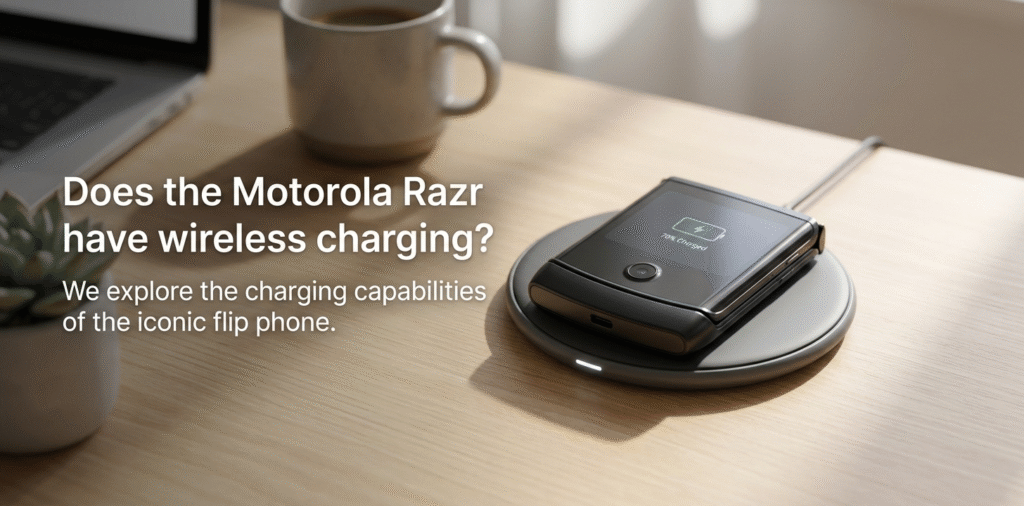
The Motorola Razr[^1], a popular flip phone that combines nostalgia with modern smartphone features, has generated a lot of interest, especially around its charging capabilities[^2]. Many users are asking: Does the Motorola Razr[^1] support wireless charging[^3]?
In this article, we will explore what wireless charging[^3] is, how it works, which Motorola Razr[^1] models support it, and whether the Razr will support MagSafe or magnetic mounting for chargers.
Some Motorola Razr[^1] models support wireless charging[^3], but support depends on the exact model and region. Check your model (e.g., Razr 2020[^4] vs Razr 5G/2022[^5]) before buying a pad.
I looked up my Razr’s specs and tested a Qi[^6] pad. It charged wirelessly. Then I checked a different Razr and it did not. Model differences matter. Don’t assume every Razr has Qi[^6].
Stop and check your exact model number[^7] and carrier specs before you buy wireless accessories[^8].
What is wireless charging[^3] and how does it work?
I wondered how power moved without a cable.
Wireless charging uses magnetic induction[^9]. A coil in the charger creates a magnetic field. A coil in the phone converts that field back to electricity. Qi[^6] is the common standard for phones.
I placed a phone on a pad and it started charging. The pad sends AC to a coil. The coil makes a changing magnetic field. The phone coil picks up that field and makes current. The phone then rectifies and regulates that current to charge the battery. Alignment, distance, and case thickness matter. Foreign objects and metal can block charging. Qi[^6] includes safety checks like foreign object detection[^10] and thermal protection[^11]. Those checks help avoid overheating and damage.
Qi[^6] basics, safety, and real-world limits Qi[^6] wireless charging[^3] relies on resonant inductive coupling between two coils. The charger coil oscillates at a specific frequency. The phone coil resonates and receives power. The phone and charger negotiate power levels using a protocol handshake. This handshake controls voltage and current and triggers safety limits. Efficiency drops with misalignment and with thicker cases or metal objects between coils. Wireless charging generates heat from conversion losses. Phone software may throttle charging if temperature rises. Real-world charging speed[^12]s vary. Many pads deliver 5W to 15W for phones that support those rates. Older or budget devices may accept lower power. For stable results, use certified Qi pads[^13]tps://en.wikipedia.org/wiki/Qi_(standard))[^6] pads and test with your case and accessories. I always check for foreign object detection[^10], temperature cutoffs, and manufacturer specs before relying on wireless charging[^3] for daily use.
Which Motorola Razr[^1] models support wireless charging[^3]?
I checked specs for several Razr generations.
Motorola Razr[^1] foldable models vary. Some later Razr phones include Qi[^6] wireless charging[^3], while others do not. Verify by model number[^7]: many 5G foldable Razr models include wireless charging[^3]; some older or carrier-specific variants do not.
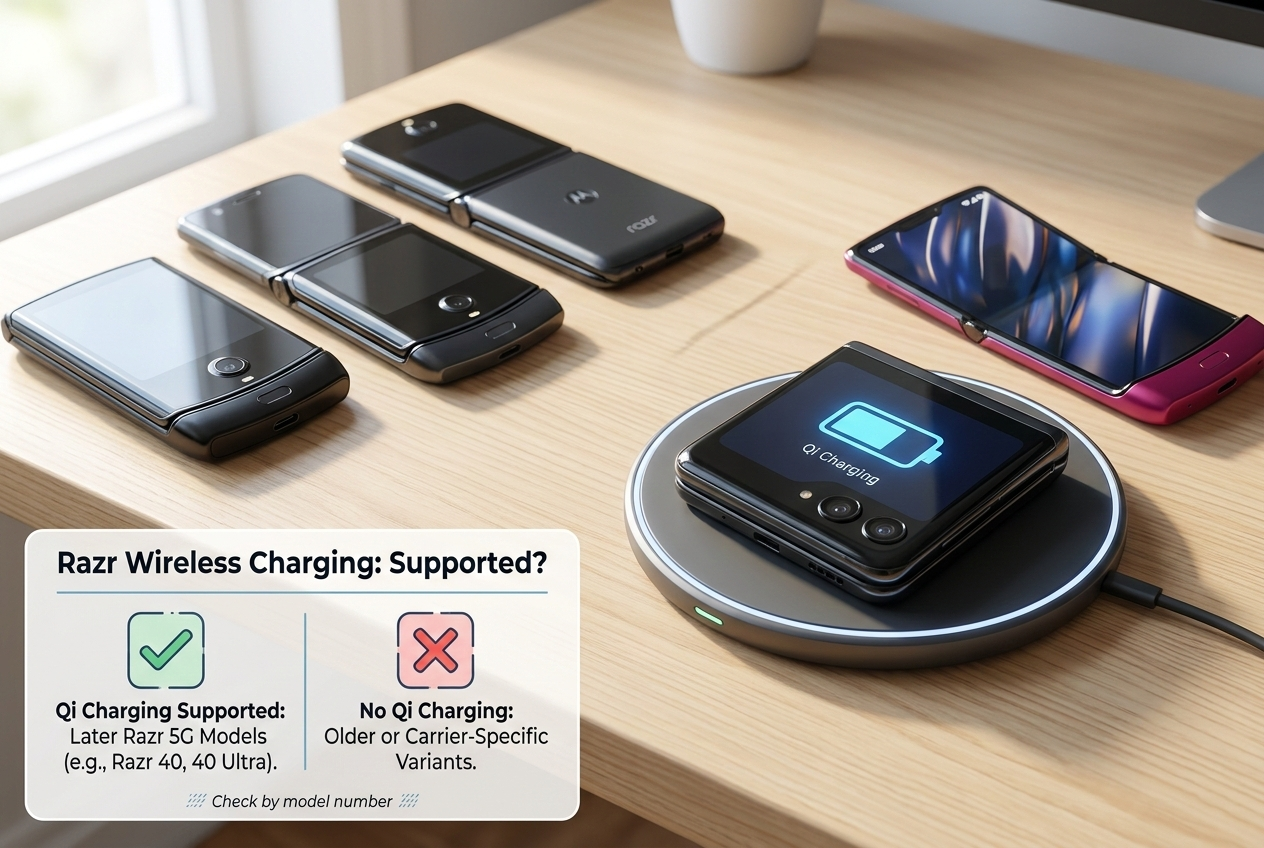 I tested a Razr 5G and it charged on a Qi[^6] pad. I then checked older Razr models and found no built-in coil. Motorola sometimes changes features by market. So model number[^7] and spec sheet are key.
model-by-model summary and practical checks Motorola released several Razr models: the 2019 clamshell, the 2020/2020 refreshed versions, the Razr 5G (2020/2021 variants), and later Razr 2022. Feature sets changed across generations. Wireless charging presence depends on internal design choices like glass back and space for a charging coil. For example, some Razr 5G versions include Qi[^6] support because they use a glass back and dedicated coil. Other models, especially earlier reboots or trimmed carrier versions, may omit Qi[^6] to save cost or space. To confirm for your phone, find the exact model number[^7] in Settings > About phone, or check the device box. Then search the official Motorola spec page for "Qi[^6] wireless charging[^3]" or "wireless charging[^3]." If official specs are unclear, test with a known Qi[^6] pad at a store or use a wireless charger at home briefly. Also check for software limits; some phones accept wireless charging[^3] but only at lower power rates. If you plan to buy accessories, pick pads that match the phone’s supported wattage and include foreign object detection[^10] and temperature controls.
Will the Razr support MagSafe or magnetic mounting?
I wondered if the Razr would snap to magnetic chargers like MagSafe.
Razr phones do not support Apple's MagSafe standard. They may work on magnetic mounts[^14] if you add third-party magnetic accessories, but this can affect charging and safety.
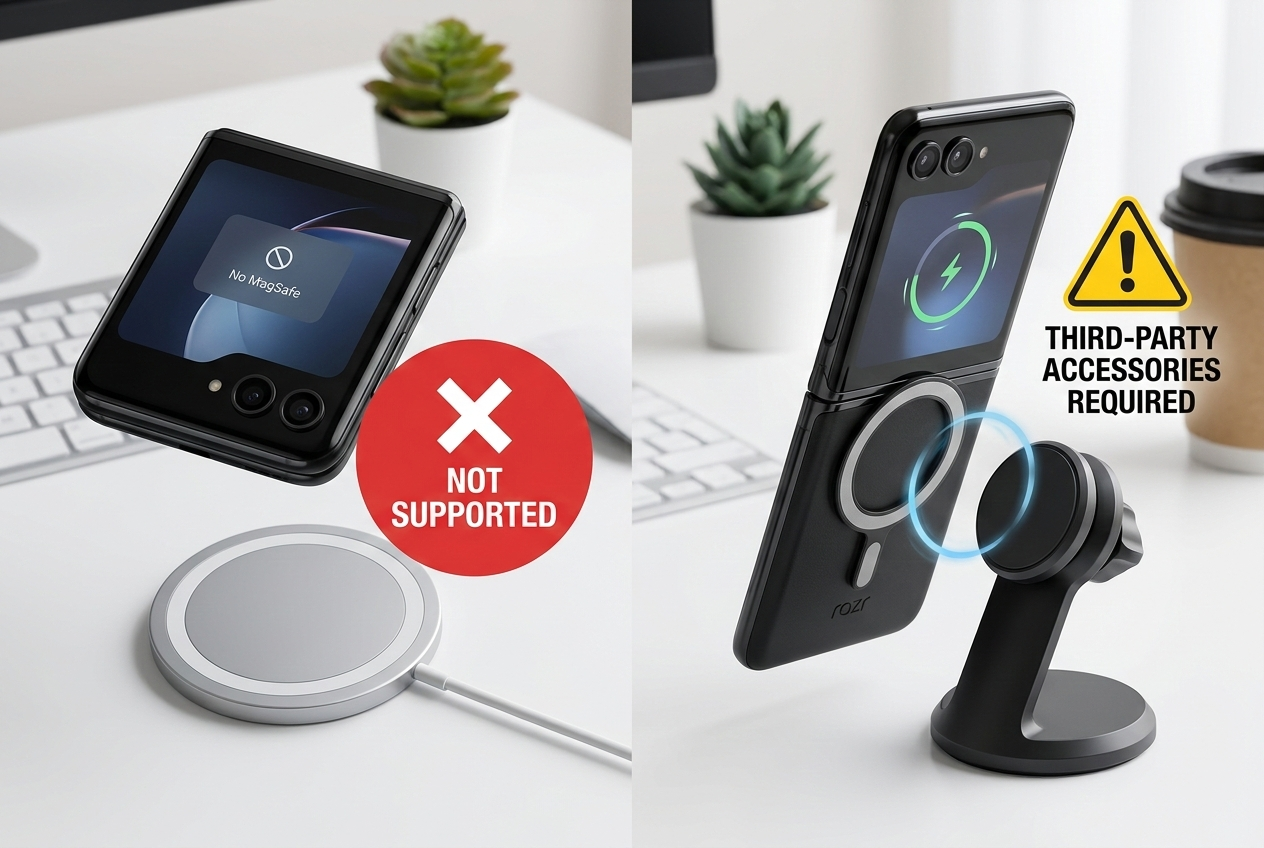
I tried a MagSafe puck with my Razr. It charged as a Qi[^6] device but did not snap or align magnetically. Adding magnets or metal plates can reduce charging efficiency[^15] or trigger foreign object detection[^10].
options, limitations, and safe accessories MagSafe combines a ring of magnets with a charging coil and a software handshake for optimized alignment and sometimes higher safe power. Phones without MagSafe hardware will not snap or use those MagSafe-specific features. They will charge only as standard Qi[^6] devices, if they support Qi[^6] at all. Some users add third-party magnetic cases or plates to get a magnetic mount effect. That can help with car mounts but may interfere with wireless charging[^3]. Metal plates can create hotspots or block induction coils. Magnets can offset alignment and trip safety systems. If you need magnetic mounting, prefer mounts designed for non-MagSafe phones or use magnetic adapters that are tested for wireless charging[^3] compatibility. For the best and safest results, choose certified wireless chargers and follow manufacturer guidance. Avoid adding adhesives or metal plates near the phone coil.
How fast will a Razr charge wirelessly?
I wanted to know if wireless charging[^3] would be fast enough.
Wireless speeds depend on the Razr model and charger. Typical Qi[^6] charging ranges from 5W to 15W. Many Razr models accept mid-range wireless rates. Wired fast charging remains faster.
I timed a wireless top-up and compared it to USB-C wired charging. Wired PD charged much faster. Wireless is convenient for desk top-ups and overnight charging.
expected rates, heat effects, and real-world tips Wireless charging is usually slower than wired fast charging. Razr models that support Qi[^6] typically accept middle-range rates, often between 5W and 15W. The exact maximum depends on Motorola’s charging controller and the pad’s capability. In practice, charging speed[^12] also depends on alignment, case thickness, ambient temperature, and battery state. Wireless charging creates more heat than wired charging because of conversion losses. Phone firmware may slow charging if the device gets warm. For faster top-ups, use a wired fast charger with the correct USB-C PD[^16] profile. For overnight charging or convenient desk charging, a Qi[^6] pad is fine. To get the best wireless performance, use a high-quality certified pad, remove thick cases, and place the phone precisely on the charger. Avoid charging in hot environments to minimize throttling.
How to check if your Razr supports wireless charging[^3]?
I wanted a quick way to confirm support.
Check the official Motorola specs by model number[^7], look for "Qi[^6] wireless charging[^3]," or test briefly with a certified Qi[^6] pad. Use Settings > About phone to find your model number[^7].
I always verify the model number[^7] first. That avoids buying incompatible pads or cases.
step-by-step verification and testing tips Start by finding your exact model number[^7] in Settings > About phone or on the phone’s box. Search the Motorola support site or the device spec sheet for "wireless charging[^3]" or "Qi[^6]." If the spec sheet mentions wireless charging[^3], check the supported wattage if listed. If specs are unclear, find a pharmacy or electronics store with a Qi[^6] pad and test briefly. Use a certified pad and monitor the phone for a charging indicator. If the phone shows charging and the pad reports a load, the device supports Qi[^6]. Also inspect the phone’s back: glass backs commonly house wireless coils, while metal backs usually do not. If you plan to buy accessories, verify compatibility with your model and carrier variant. Finally, check user forums[^17] and reviews for real-world reports about wireless charging[^3] performance for your exact Razr variant.
Conclusion
Does the Motorola Razr[^1] support wireless charging[^3]? Yes, the Motorola Razr[^1] 5G supports wireless charging[^3], but the Motorola Razr[^1] (2019) does not.
Does the Razr support MagSafe or magnetic mounting? No, the Razr does not support MagSafe, but you can use other Qi[^6]-compatible magnetic chargers.
How fast will a Razr charge wirelessly? The Razr 5G supports wireless charging[^3] at 15W with compatible chargers.
How to check if your Razr supports wireless charging[^3]? You can check the specifications or simply try using a Qi[^6]-compatible charger to see if your device charges wirelessly.
The Motorola Razr[^1] 5G offers the convenience of wireless charging[^3], though it doesn't have MagSafe capabilities. If you want to enjoy wireless charging[^3], the Razr 5G will meet your needs, but for faster charging, wired options might still be preferable.
[^1]: Explore the features of the Motorola Razr to understand its unique offerings and capabilities. [^2]: Understand the charging options available for the Motorola Razr and their effectiveness. [^3]: Learn about the technology behind wireless charging and its benefits for modern devices. [^4]: Check the specifications of the Razr 2020 to see if it meets your needs for wireless charging. [^5]: Find out the enhancements in the Razr 5G/2022 model compared to its predecessors. [^6]: Discover the Qi standard for wireless charging and why it's widely adopted in smartphones. [^7]: Get tips on locating your Motorola Razr's model number for accurate specifications. [^8]: Discover compatible wireless accessories for the Motorola Razr to enhance your experience. [^9]: Learn how magnetic induction enables wireless charging and its advantages. [^10]: Explore how foreign object detection enhances safety during wireless charging. [^11]: Understand the importance of thermal protection in preventing overheating during charging. [^12]: Find out the charging speed of the Motorola Razr to gauge its efficiency. [^13]: Learn about certified Qi pads and why they are essential for safe wireless charging. [^14]: Explore how magnetic mounts can be used with smartphones and their compatibility. [^15]: Understand the factors that influence charging efficiency for better performance. [^16]: Discover the benefits of USB-C PD fast charging and how it compares to wireless options. [^17]: Join user forums to share experiences and get insights on the Motorola Razr.