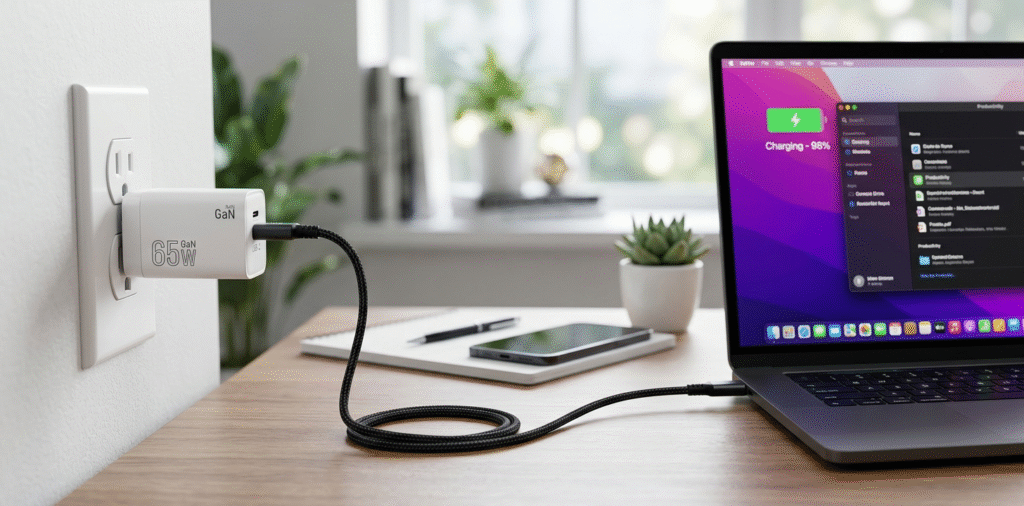
A 65W USB-C GaN charger[^1] is a great balance of power, size, and price for many users, but whether it is best for you depends on your laptop's power needs, charging habits[^2], and device mix.
If you just want a short verdict, a 65W GaN charger fits most ultrabooks and phone charging needs. Read on if you want to know limits, real-world behavior, and how to choose the right GaN charger for your setup.
Stop reading now if you only need the simple answer. Continue if you want device-specific guidance[^3], safety tips, and real use cases.
Is a 65W GaN charger enough for a laptop?
I switched to 65W and watched my laptop charge reliably during light work.
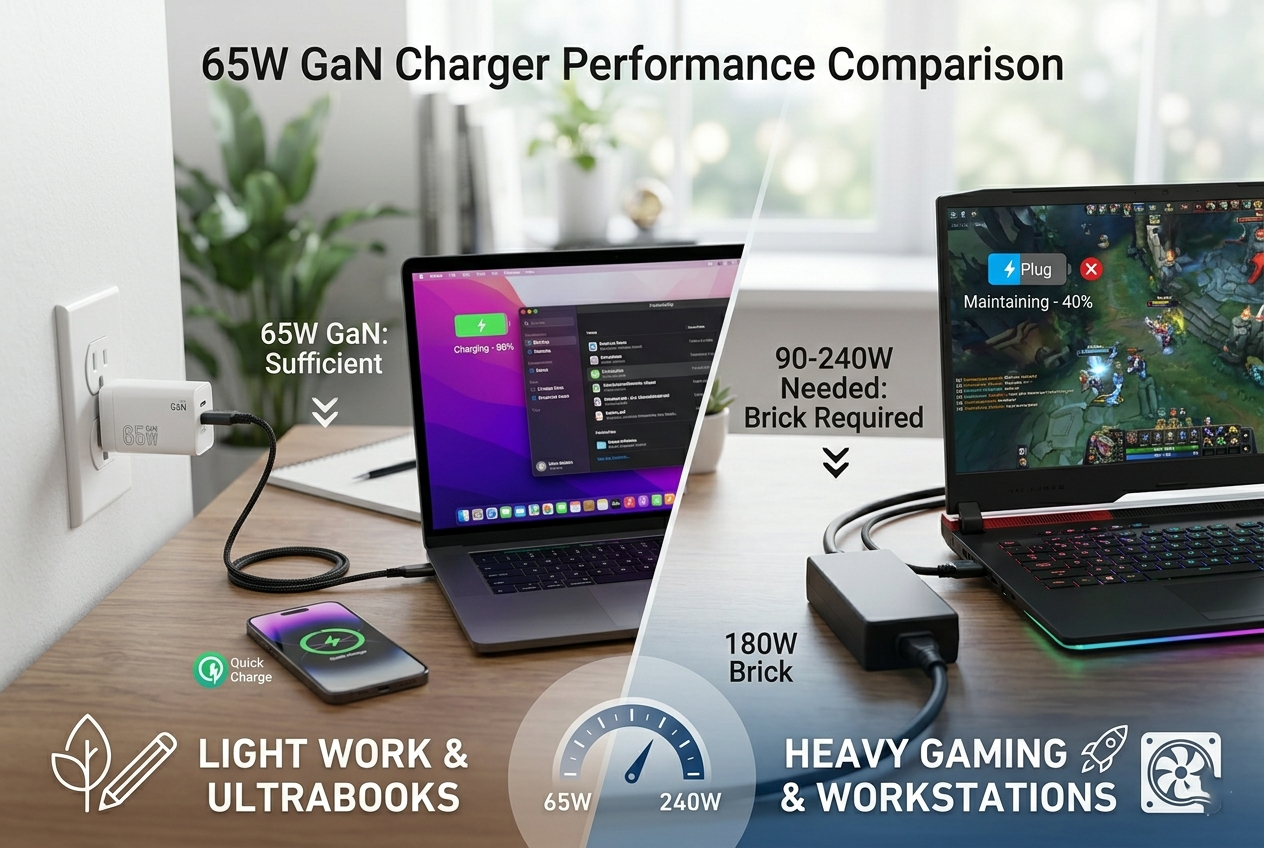
A 65W charger is enough for many thin-and-light laptops[^4] and for charging phones quickly. Heavy gaming laptops[^5] or powerful mobile workstations often need 90–240W and may only charge slowly or maintain battery under load with 65W.
 I keep a 65W GaN for travel and a higher-watt dock at my desk.
Most modern ultrabooks, business notebooks, and many MacBooks accept 65W or less for full-speed charging. For example, many 13-inch laptops and ultraportables ship with chargers in the 30–65W range. In those cases, a 65W GaN charger will fully charge the laptop from low battery and can often charge while you work. If your laptop originally came with a higher wattage charger, check the power draw under load. A heavier laptop with a 95W or 130W adapter may draw more power when running demanding applications. With a 65W adapter, the laptop may still charge but more slowly. Or it may only maintain battery level rather than raise it while under full CPU/GPU load. Some laptops implement power negotiation[^6] and will throttle performance if the incoming wattage is low. That helps keep thermals under control but reduces speed. Also consider peak power draw spikes. Some laptops draw short bursts above their nominal adapter rating. A lower-wattage adapter may trigger thermal or power management responses. To choose, check your laptop’s rated adapter wattage and typical workload. If you mainly browse, write, and do light editing, 65W is usually fine. If you play games, edit video, or run heavy compiles, prefer a charger that matches or exceeds the original wattage.
What are the differences between gallium nitride[^7] (GaN) chargers and traditional chargers?
I replaced my old brick with a GaN charger and my travel bag felt lighter.
GaN chargers use gallium nitride[^7] transistors that switch faster and run cooler. They enable smaller, lighter chargers with equal or better efficiency than silicon-based chargers, while still offering similar protections and protocols.
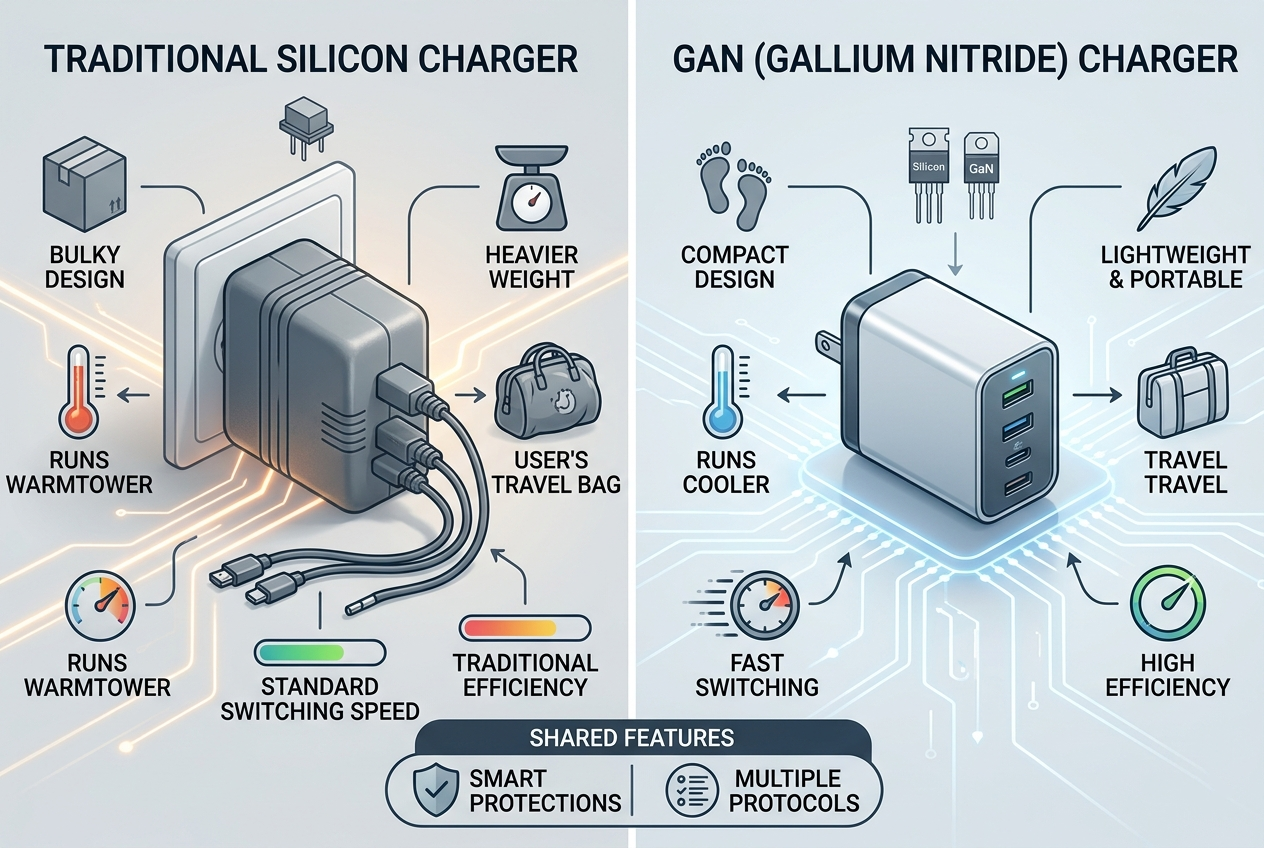
I noticed the GaN charger stayed cooler and fit a pocket, unlike the big old charger.
Gallium nitride is a semiconductor material that outperforms silicon in power conversion. GaN transistors switch at higher frequencies and have lower conduction losses. That means the transformer, inductors, and capacitors inside the charger can be smaller. The result is a compact charger[^8] that delivers the same wattage as a bulkier silicon design. GaN chargers also run cooler under load, which helps reliability and allows higher power density. Functionally, both GaN and traditional chargers can implement the same charging protocols[^9]: USB Power Delivery (PD)[^10], PPS, Quick Charge, and more. GaN improves the physical size and thermal profile but does not change the negotiation logic. Modern GaN chargers include protections such as over-voltage, over-current, short-circuit, and thermal shutdown[^11]. That makes them as safe as good silicon chargers. However, early or cheap GaN clones cut corners. So brand and certification matter. On the performance side, GaN often has slightly better efficiency. That means less wasted energy as heat and marginally faster charging under equal conditions. On the downside, GaN chargers can cost more than basic silicon chargers, but prices have dropped and many models offer excellent value. For travel, multi-port charging[^12], and minimalism, GaN clearly wins. For a stationary desk where size is not an issue, a traditional charger from a reputable brand still works fine.
Can a 65W GaN charger charge both a phone and a laptop simultaneously?
I packed a single 65W GaN with two ports and charged a phone and laptop on a flight.
Yes, many 65W GaN chargers have multiple ports and can charge a phone and laptop at once, but total power is shared. The laptop may get less than 65W when the phone draws power, slowing laptop charging.
I tested a two-port GaN and saw the laptop shift from 65W to about 45W while the phone drew 18W.
Multi-port GaN chargers advertise total wattage and per-port distribution. A typical spec might read "65W total: USB-C1 45W, USB-C2 20W" or "65W total shared." When both ports are used, the charger divides available power according to its internal allocation scheme. Common patterns:
- Priority port: One port gives full rated power if used alone. When a second device connects, it receives the leftover power.
- Fixed split: Ports supply fixed amounts when used together (for example, 45W + 20W).
- Dynamic negotiation: Charger adjusts voltages and currents via Power Delivery negotiation to optimize devices' needs.
Practical effects depend on devices. Many laptops will accept lower wattage and charge more slowly. For light tasks, a laptop may still charge even if it receives 30–45W. If you run heavy workloads, the laptop may only maintain battery level. Phones typically negotiate to draw around 18–30W for fast charging if supported. If the phone gets its usual fast-charge power, the laptop loses some headroom. To pick the right charger, check the spec sheet for port allocation. If you need full 65W for the laptop while charging a phone occasionally, pick a charger with at least 90W total or a model that can deliver 65W on one port while giving modest power to the other. For travel and light workloads, a 65W dual-port GaN often offers the best trade-off: you carry one small brick and still charge both devices overnight or between meetings.
Conclusion
65W USB-C GaN charger[^1]s are excellent choices for charging laptops and phones, especially for light-duty laptops, ultrabooks, and smartphones. They offer the advantages of smaller size, better efficiency, and faster charging compared to traditional chargers. 65W GaN chargers are sufficient for many laptops, but for high-power devices like gaming laptops[^5] or workstations, you may need a charger with higher wattage (e.g., 100W or more). GaN technology outperforms traditional chargers in terms of heat management, charging speed[^13], and durability, making it the best choice for modern charging needs. Simultaneous charging of both a phone and a laptop is possible with a 65W GaN charger, though the charging speed[^13] may be reduced if both devices are charging at the same time.
In summary, if you’re looking for a compact, efficient, and multi-functional charger, a 65W GaN charger is an excellent choice for many devices, providing fast and efficient charging in a smaller package.
[^1]: Explore the advantages of a 65W USB-C GaN charger for efficient and fast charging. [^2]: Learn how your charging habits can impact the longevity of your laptop's battery. [^3]: Get tailored advice on selecting the right charger for your specific devices. [^4]: Discover top thin-and-light laptops that work well with 65W chargers for optimal performance. [^5]: Find out the power requirements for gaming laptops to ensure efficient charging. [^6]: Understand how power negotiation works and its importance in charging efficiency. [^7]: Find out how gallium nitride technology enhances charger efficiency and size. [^8]: Discover why compact chargers are ideal for travel and everyday use. [^9]: Understand various charging protocols and how they affect charging speed and compatibility. [^10]: Explore the functionality of USB Power Delivery and its benefits for fast charging. [^11]: Learn about thermal shutdown features in chargers and their role in safety. [^12]: Discover the benefits of multi-port chargers for charging multiple devices simultaneously. [^13]: Explore the factors that affect charging speed and how to optimize it.