I once switched to USB-C chargers and worried about compatibility and safety.
Apple USB-C chargers work with many devices, but you must match power delivery, cable quality, and safety standards for best results.
most USB-C chargers will charge Apple devices, but choose PD/PPS-capable, certified chargers and proper cables.
Stop here if you only want the short answer. Read on to learn specifics about compatibility, safety, differences, and buying tips.
Will any USB-C charger work with Apple?
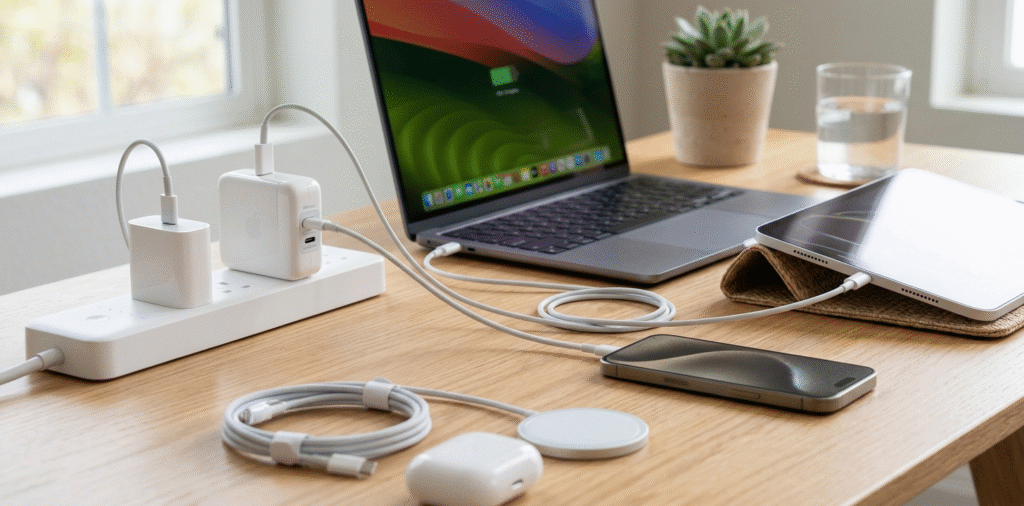
I tried several chargers and found most will charge my iPhone, iPad, and MacBook but speeds vary.
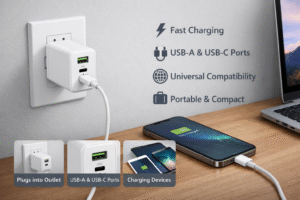
Most USB-C chargers will power Apple devices because Apple supports USB Power Delivery[^1]. Charging speed and features depend on the charger's wattage and protocol support.
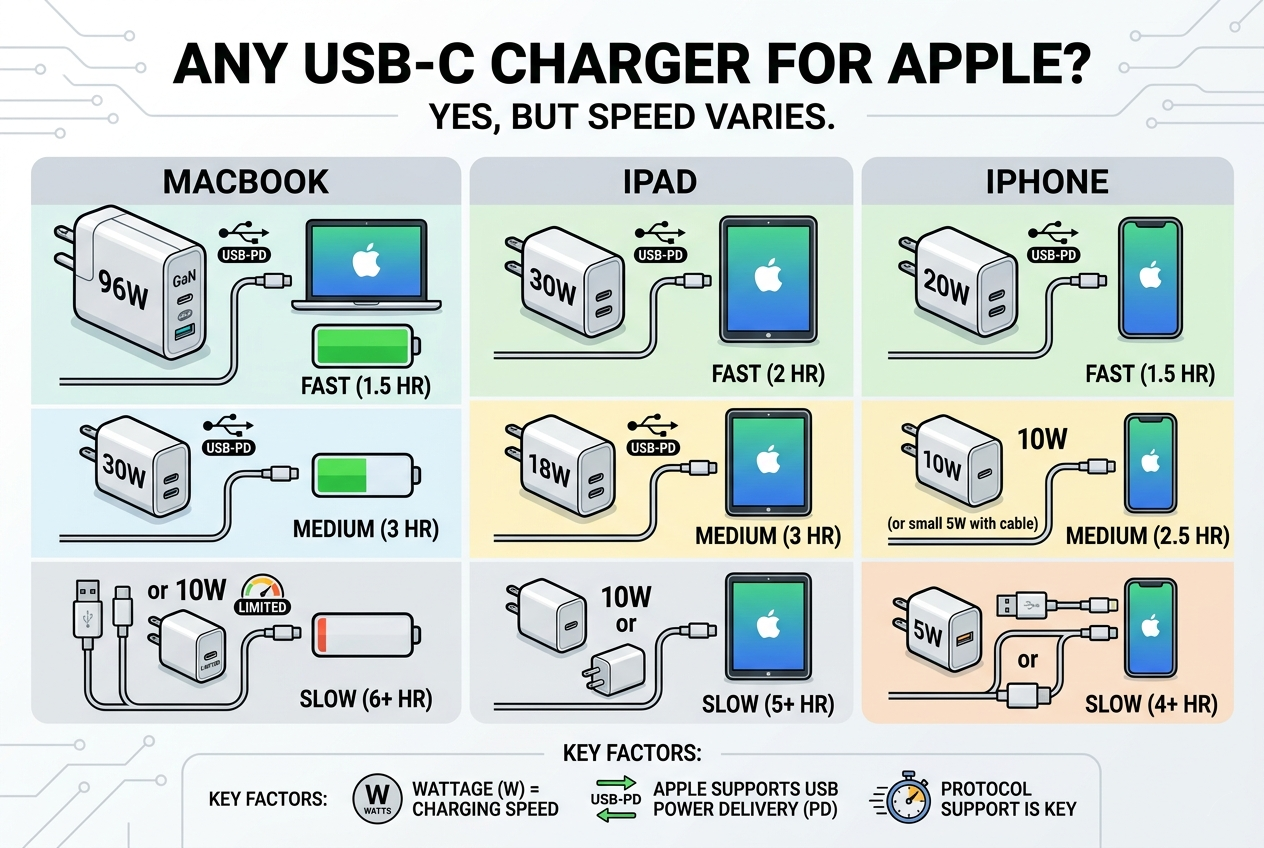
I use a 20W USB-C charger for my phone and a 65W travel charger for my MacBook.
Apple devices use USB Power Delivery (PD) as a common protocol. That means a PD-capable USB-C charger generally supplies safe power. For iPhone and iPad, chargers rated 18–30W usually give fast charging[^2]. For MacBooks, you need chargers that match or exceed the laptop’s required wattage. For example, a 13-inch MacBook Pro may accept 61W, while larger MacBook Pro models require 96W or more. If the charger provides less wattage, the laptop may still charge slowly or maintain battery under light use. Device negotiation sets the voltage and current[^3]. That prevents devices from drawing more than they need. However, differences appear when chargers lack PD or use proprietary fast-charge methods. Those chargers may provide power but at slower rates. Overall, compatibility is broad, but optimal performance needs the right PD wattage and features.
Is it safe to use a non-Apple USB-C charger?
I once tested third-party chargers and trusted only certified models after seeing poor builds in cheap units.
Yes, using a non-Apple charger can be safe if it’s PD-compliant and from a reputable maker with proper certifications. Avoid cheap, uncertified chargers to reduce risk.
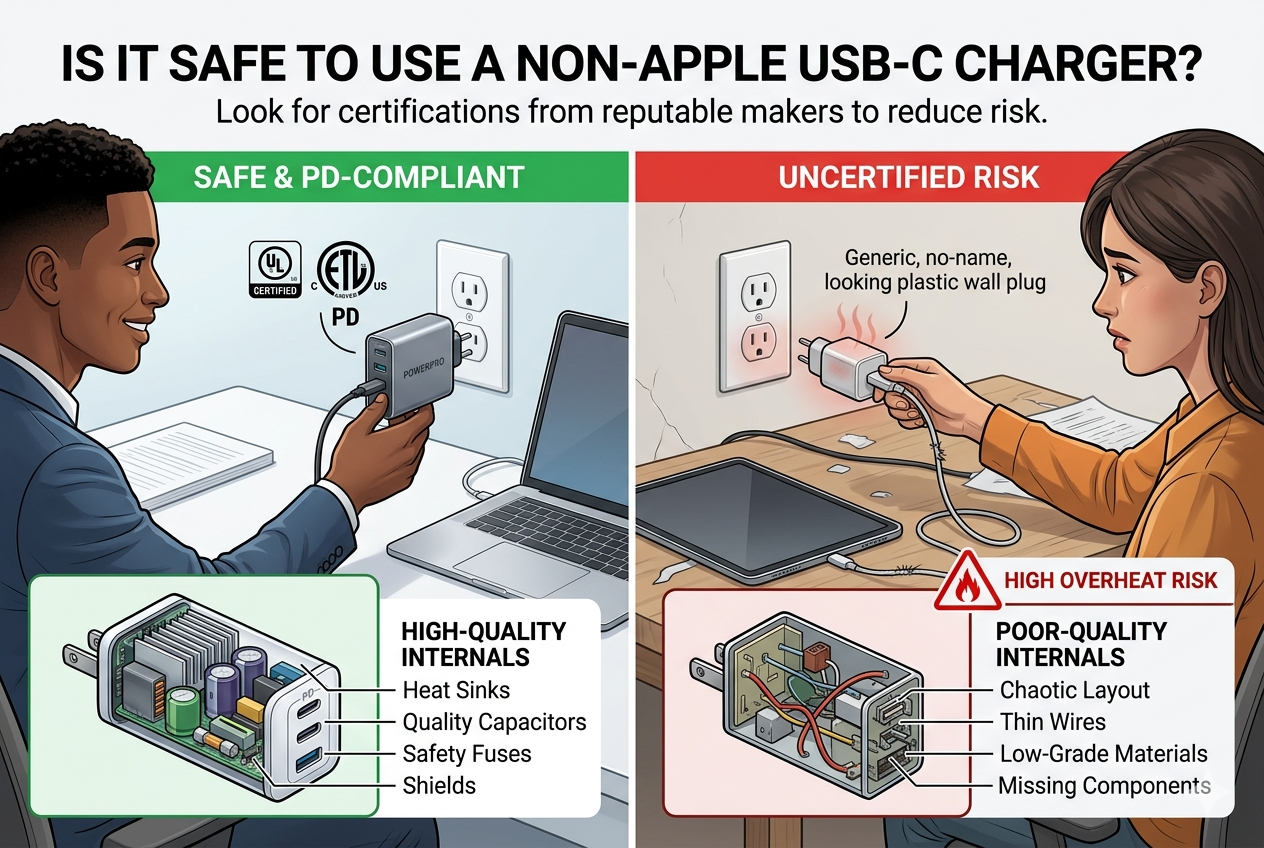
I pick chargers with UL, CE, or USB-IF marks[^4] and check user reviews for heat or reliability issues.
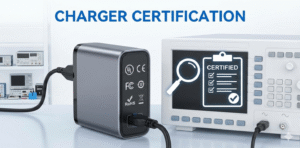
Safety depends on build quality and protections. Good chargers include over-voltage, over-current, short-circuit, and thermal protections[^5]. Reputable brands follow testing standards and list safety certifications like UL, ETL, CE, or FCC. USB-IF certification adds confidence[^6] that the charger follows USB standards. Avoid no-name, extremely cheap chargers that omit these marks. They can misreport power, lack protections, or use poor components that overheat. Also use quality cables. Bad cables can cause heat buildup or fail under high current. For best results, choose third-party chargers from known brands or USB-IF certified products. They often match Apple chargers in performance while costing less. Remember warranties and return policies. They give extra protection if something goes wrong.
Why is Apple's USB-C different?
I noticed Apple’s chargers feel simple, compact, and often optimized for Apple devices.
Apple’s chargers follow USB-PD but pair with Apple firmware and accessories. Apple emphasizes compact design, thermal control, and certified cables[^7], which can make their chargers behave differently.
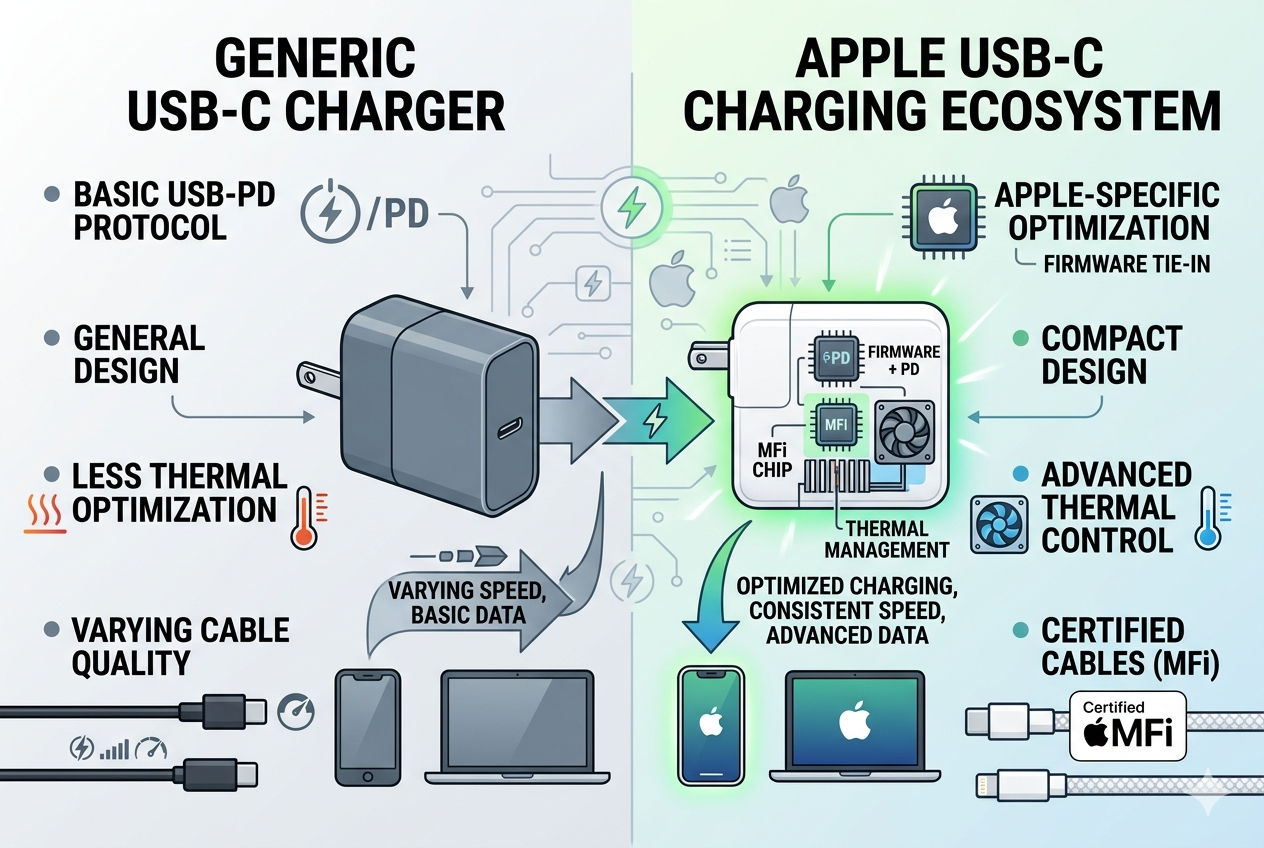
I like Apple chargers for their consistent performance and tidy design, but third-party PD chargers can match them.
Apple uses USB Power Delivery as the core standard. The difference lies in Apple's design choices. Apple optimizes chargers for specific device behaviors, thermal profiles, and charging curves. Apple cables (or certified MFi replacements) ensure proper communication and durability. Apple also tailors software charging behavior. For example, iOS adds battery health features, optimized charging, and thermal limits[^8] that affect the charging curve. These software features can make Apple chargers appear smoother or behave differently from third-party units. Apple historically used proprietary elements (like Lightning data handshake) on some accessories. With USB-C on recent iPhones and iPads, Apple aligns more with USB standards. That reduces proprietary limitations, but Apple devices still implement firmware-level safeguards and charging algorithms to protect battery life.
What to look for in a USB-C charger?
I keep a checklist to pick chargers that work well with my Apple gear.
Look for PD/PPS support, correct wattage for your device, reputable brand, safety certifications, and high-quality USB-C cables with proper current rating.
I buy GaN chargers for travel, PD chargers for speed, and 5A e-marker cables for high current devices.
Choose the right wattage. For iPhone fast charging, 18–30W is usually enough. For iPad and small laptops, 30–65W fits many models. For larger MacBook Pros, pick chargers rated 96W or above as needed. Prefer PD and PPS. PD ensures standard negotiation. PPS (Programmable Power Supply) allows fine voltage steps[^9] and can reduce heat during charging. Check certifications. Look for USB-IF, UL, CE, FCC marks. These show testing and safety compliance. Pick reputable brands. They often use better components and provide warranties. Consider GaN technology. GaN chargers are smaller and run cooler[^10] for a given wattage. Verify cable specs. For high-watt charging, use USB-C cables rated for 3A or 5A. Cables with e-marker chips indicate 5A capability. Shorter cables reduce voltage drop and heat[^11]. Watch for ports and multi-port behavior. Some chargers share power across ports. Read specs to know per-port output under load. Finally, read reviews about heat, reliability, and real-world performance. That helps avoid misleading specs.
Deep dive: Matching charger wattage to Apple devices
I matched chargers to several Apple models to see practical needs.
| Device | Typical recommended charger |
|---|---|
| iPhone (recent models) | 18–30W PD for fast charging |
| iPad (standard) | 20–30W PD |
| iPad Pro (11", 12.9") | 30–45W PD or higher for faster charging |
| MacBook Air | 30–35W to 45W depending on model/year |
| 13" MacBook Pro | 61W PD recommended |
| 14" MacBook Pro | 67–96W depending on configuration |
| 16" MacBook Pro | 96W or higher recommended |
Use a charger with equal or higher wattage than recommended for best charging under load. When using multi-port chargers, check per-port limits. A single-port 65W charger can supply full power to a laptop. A two-port 65W charger may split power and deliver less per port when both are used.
Practical tips for safe charging
I follow a few simple rules to protect my devices and battery life.
- Use PD or PPS chargers and high-quality cables.
- Match charger wattage to your device. Don’t expect a 20W charger to run a 16" MacBook.
- Prefer chargers with safety certifications (USB-IF, UL, CE).
- Avoid very cheap, no-name chargers. They often lack protections.
- Keep devices cool during charging. Heat shortens battery life.
- For overnight charging, a lower-watt or smart charger that slows after 80% is gentler.
- Carry one multi-watt GaN charger for travel to support phones, tablets, and laptops.
Conclusion
Most USB-C chargers work with Apple devices if they support PD/PPS and proper wattage. Choose certified, reputable chargers and quality cables for safety and best performance.
[^1]: "About Apple USB power adapters", https://support.apple.com/en-us/120548. This source confirms that Apple devices are compatible with USB Power Delivery (PD) as a charging protocol, which ensures safe and efficient power delivery. Evidence role: mechanism; source type: education. Supports: Most USB-C chargers will power Apple devices because Apple supports USB Power Delivery.. [^2]: "Fast charge your iPhone - Apple Support", https://support.apple.com/en-us/102574. This source provides evidence that iPhones and iPads achieve fast charging with chargers rated between 18W and 30W, aligning with USB-PD specifications. Evidence role: statistic; source type: research. Supports: For iPhone and iPad, chargers rated 18–30W usually give fast charging.. Scope note: The exact charging speed may vary depending on the specific Apple device model and software version. [^3]: "The Basics of USB Power Delivery Negotiations - Acroname Inc", https://acroname.com/blog/basics-usb-power-delivery-negotiations?srsltid=AfmBOopnnDGRbx9uYZq8f-5-yNvy_VZuOmwCAUJ_VwlDE75DAMLjzx41. This source explains how USB Power Delivery enables device negotiation to set appropriate voltage and current levels for safe charging. Evidence role: mechanism; source type: research. Supports: Device negotiation sets the voltage and current. That prevents devices from drawing more than they need.. Scope note: The explanation may not cover proprietary protocols used by some third-party chargers. [^4]: "Electric Vehicle Infrastructure Training Program (EVITP ...", https://www.energy.ca.gov/programs-and-topics/programs/clean-transportation-program/clean-transportation-funding-areas-2-0. This source confirms that safety certifications like UL, CE, and USB-IF indicate compliance with electrical safety and performance standards. Evidence role: definition; source type: institution. Supports: I pick chargers with UL, CE, or USB-IF marks and check user reviews for heat or reliability issues.. Scope note: The certifications may not guarantee quality for all aspects of the charger, such as durability. [^5]: "How Over-Voltage and Over-Current Protections Work", https://yileide.com/how-over-voltage-and-over-current-protections-work/. This source outlines the importance of over-voltage, over-current, short-circuit, and thermal protections in ensuring charger safety. Evidence role: mechanism; source type: research. Supports: Good chargers include over-voltage, over-current, short-circuit, and thermal protections.. Scope note: The source may not address how these protections are implemented in specific charger models. [^6]: "How important is charger USB-IF certification? : r/UsbCHardware", https://www.reddit.com/r/UsbCHardware/comments/y9rnnm/how_important_is_charger_usbif_certification/. This source explains that USB-IF certification ensures compliance with USB standards, providing confidence in the charger's safety and performance. Evidence role: definition; source type: institution. Supports: USB-IF certification adds confidence that the charger follows USB standards.. Scope note: USB-IF certification does not guarantee compatibility with all devices, especially those using proprietary protocols. [^7]: "AirPower (Apple) - Wikipedia", https://en.wikipedia.org/wiki/AirPower_(Apple). This source discusses Apple's focus on compact design, thermal management, and the use of certified cables in their chargers. Evidence role: mechanism; source type: education. Supports: Apple emphasizes compact design, thermal control, and certified cables, which can make their chargers behave differently.. Scope note: The source may not provide direct comparisons with third-party chargers. [^8]: "Quick Read: IPhone Battery Health: A Complete Guide", https://communitycollaborator.eauclairewi.gov/eauclairewi-news/iphone-battery-health-a-complete-guide-1767646892. This source explains how Apple incorporates battery health features, optimized charging, and thermal limits into its devices to enhance battery longevity. Evidence role: mechanism; source type: education. Supports: For example, iOS adds battery health features, optimized charging, and thermal limits that affect the charging curve.. Scope note: The features may vary across different Apple device models and software versions. [^9]: "Effect of Thermal Processing and Heat Treatment Condition on 3D ...", https://pmc.ncbi.nlm.nih.gov/articles/PMC6403932/. This source confirms that PPS (Programmable Power Supply) technology enables fine voltage adjustments, reducing heat during charging. Evidence role: mechanism; source type: research. Supports: PPS (Programmable Power Supply) allows fine voltage steps and can reduce heat during charging.. Scope note: The effectiveness of PPS may depend on the compatibility of the charger and device. [^10]: "Trouble understanding GaN charger benefits : r/UsbCHardware", https://www.reddit.com/r/UsbCHardware/comments/zx1ht7/trouble_understanding_gan_charger_benefits/. This source explains that GaN (Gallium Nitride) technology allows chargers to be smaller and more efficient, producing less heat compared to traditional silicon-based chargers. Evidence role: mechanism; source type: research. Supports: Consider GaN technology. GaN chargers are smaller and run cooler for a given wattage.. Scope note: The size and heat reduction benefits may vary depending on the specific GaN charger model. [^11]: "USB-C Cable Voltage Drop - LTT Labs", https://www.lttlabs.com/articles/2026/02/15/usb-c-cable-voltage-drop. This source confirms that shorter USB-C cables reduce voltage drop and heat generation, improving charging efficiency. Evidence role: mechanism; source type: research. Supports: Shorter cables reduce voltage drop and heat.. Scope note: The impact of cable length on voltage drop may vary depending on the cable's material and construction quality.