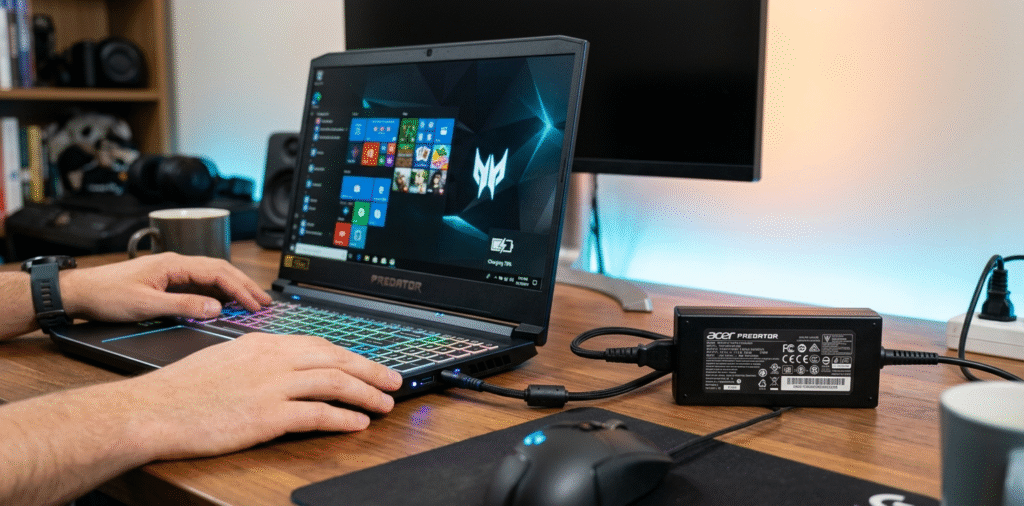
Acer Predator series laptops[^1] use a range of chargers. Typical gaming models need 135W–330W[^2] depending on CPU and GPU. Check your exact model label or manual for the correct wattage.
I once brought a lower-watt spare and saw heavy throttling. Now I always confirm the original adapter rating before travel.
Stop here if you only need the quick answer. Read on if you want to identify your exact adapter, understand why wattage varies, and learn safe replacement tips.
How do I find the exact wattage for my Acer Predator model?
My model name alone did not tell me the charger spec.
Look at the original power brick label[^3], the laptop bottom sticker, or the user manual[^4]. Acer also lists adapter specs on the support page for each model. The adapter will show volts (V) and amps (A)[^5]; multiply them to get watts (W).
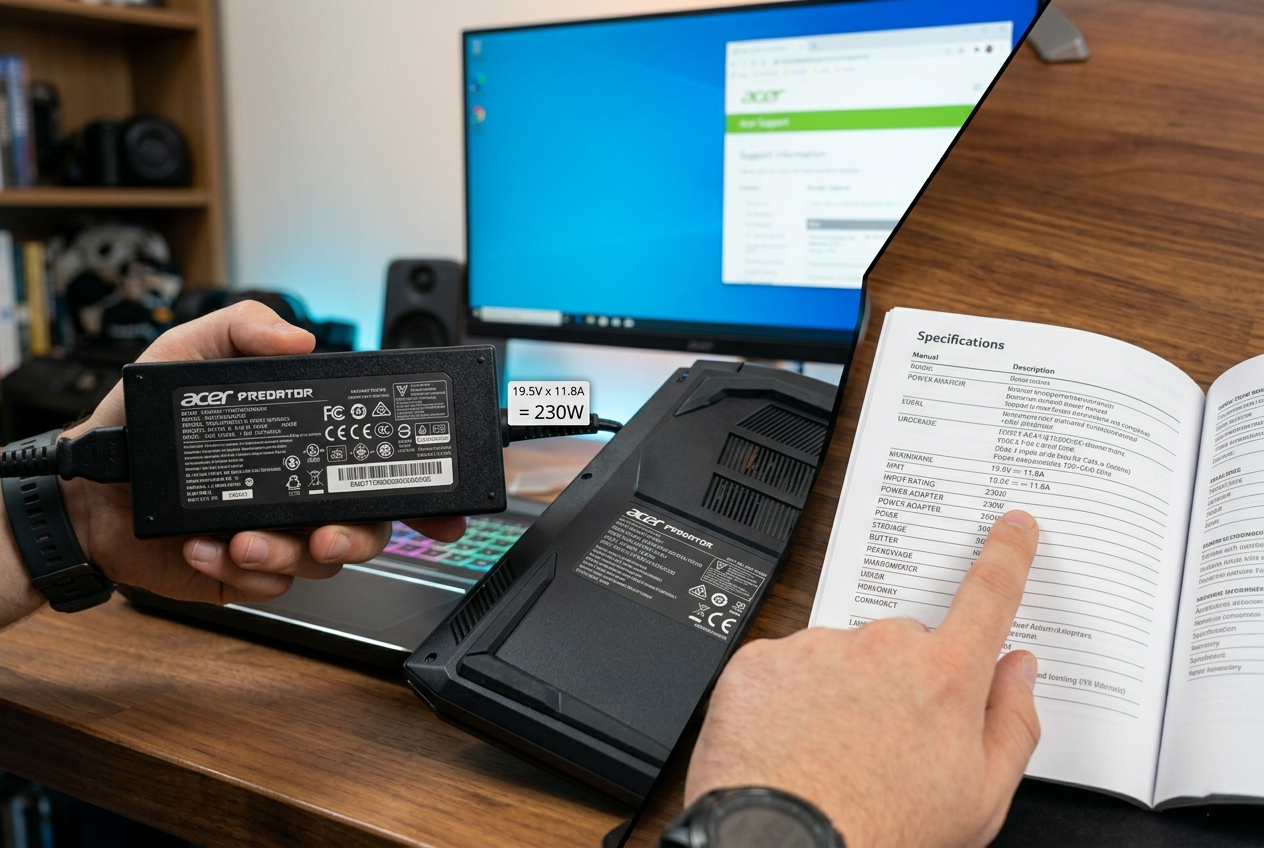
I once ignored the label and guessed. The laptop ran slow until I used the correct adapter.
checking labels, model numbers, and how to calculate wattage Most power bricks list output like "19.5V 16.9A" or "20V 16.5A". To find wattage, multiply volts by amps. For example, 19.5V × 16.9A ≈ 330W. Many Predator Helios or Triton models use 230W or 330W adapters for high-end GPUs. Mid-range models often use 180W or 230W. Older or smaller Predators may use 135W or 180W. If you only have the laptop, look for a sticker near the vents or on the bottom that lists the "DC IN" or "Adapter" requirement. You can also enter your exact model number on Acer’s support site to find parts and manuals. When buying a replacement, match volts exactly and meet or exceed the original amp rating to avoid underpowering the laptop. Using a lower-watt adapter can cause throttling or shutdowns under load. Using a higher-watt adapter that matches the voltage and connector type is generally fine if it follows OEM specs[^6].
Why do different Predator models need different wattages?
I wondered why one Predator needed huge power and another did not.
Wattage depends on the CPU, GPU, screen size, and power delivery features. High-performance CPUs and discrete GPUs[^7] draw much more power, so manufacturers ship higher-watt adapters. Thin models with mobile components use lower-watt chargers.
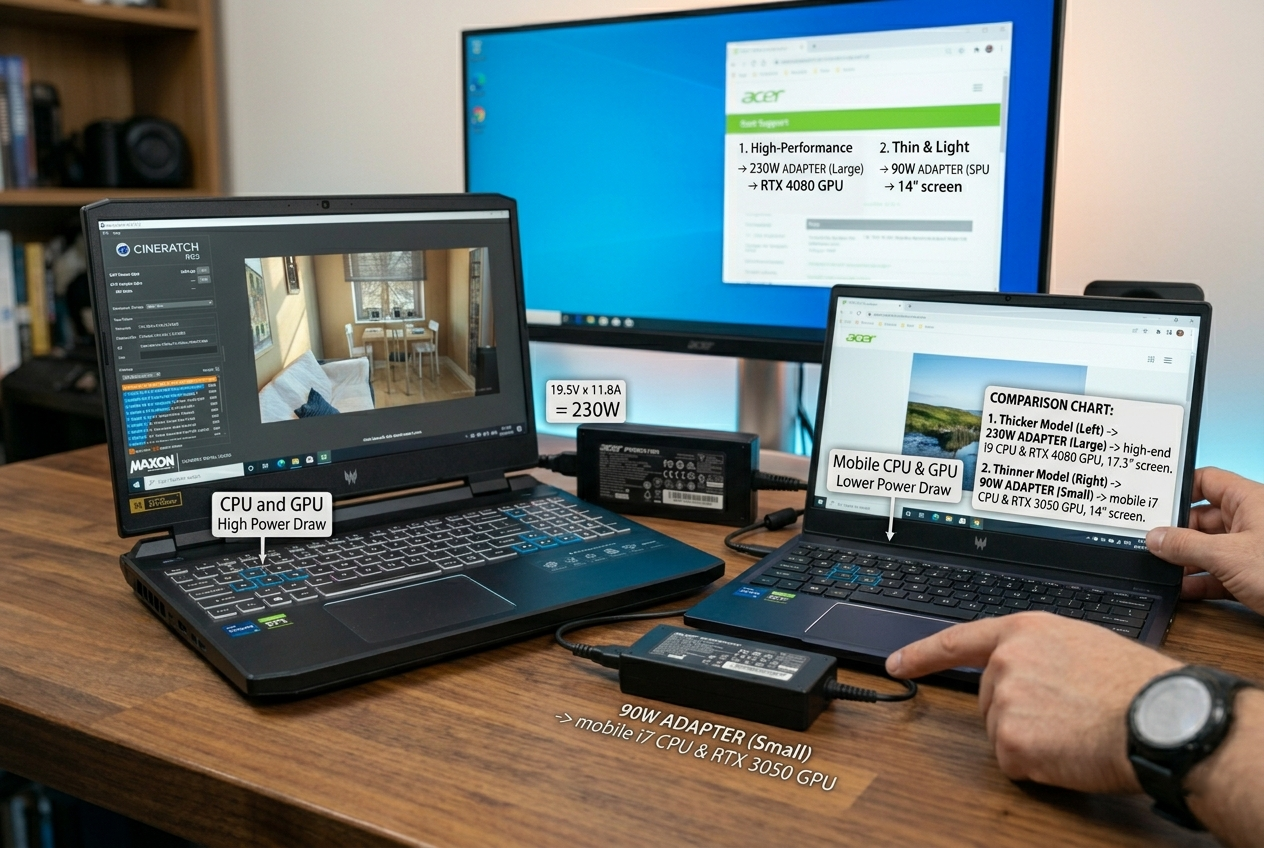
I compared two models and saw a big difference in adapter size and weight.
components that drive power needs and practical impact Gaming laptops with desktop-class or high-TDP mobile CPUs and discrete GPUs[^7] need more power under load. A powerful GPU like an RTX 4080 or 4090 mobile variant plus a high-refresh 144Hz–360Hz panel and many cores can push system consumption above 200W during gaming. That forces vendors to supply 230W–330W adapters. Lighter Predator models use more efficient components and lower-power GPUs, so they often ship with 135W–180W adapters. Other features also matter. Fast charging for USB-C, multiple M.2 drives, high-power cooling fans, and RGB lighting increase demand. Manufacturers balance battery size and charger wattage to hit desired thermal and runtime targets. For users, this means heavier adapters for high-performance models and lighter bricks for slim versions. When replacing an adapter, consider peak power needs during gaming, not just idle consumption.
Is it safe to use a higher-watt charger than the original?
I worried a bigger adapter might fry my laptop.
Using a higher-watt charger is safe if voltage and connector type match, and the charger supports the laptop’s charging protocol. The laptop will draw only what it needs. Do not use a charger with higher voltage than specified.
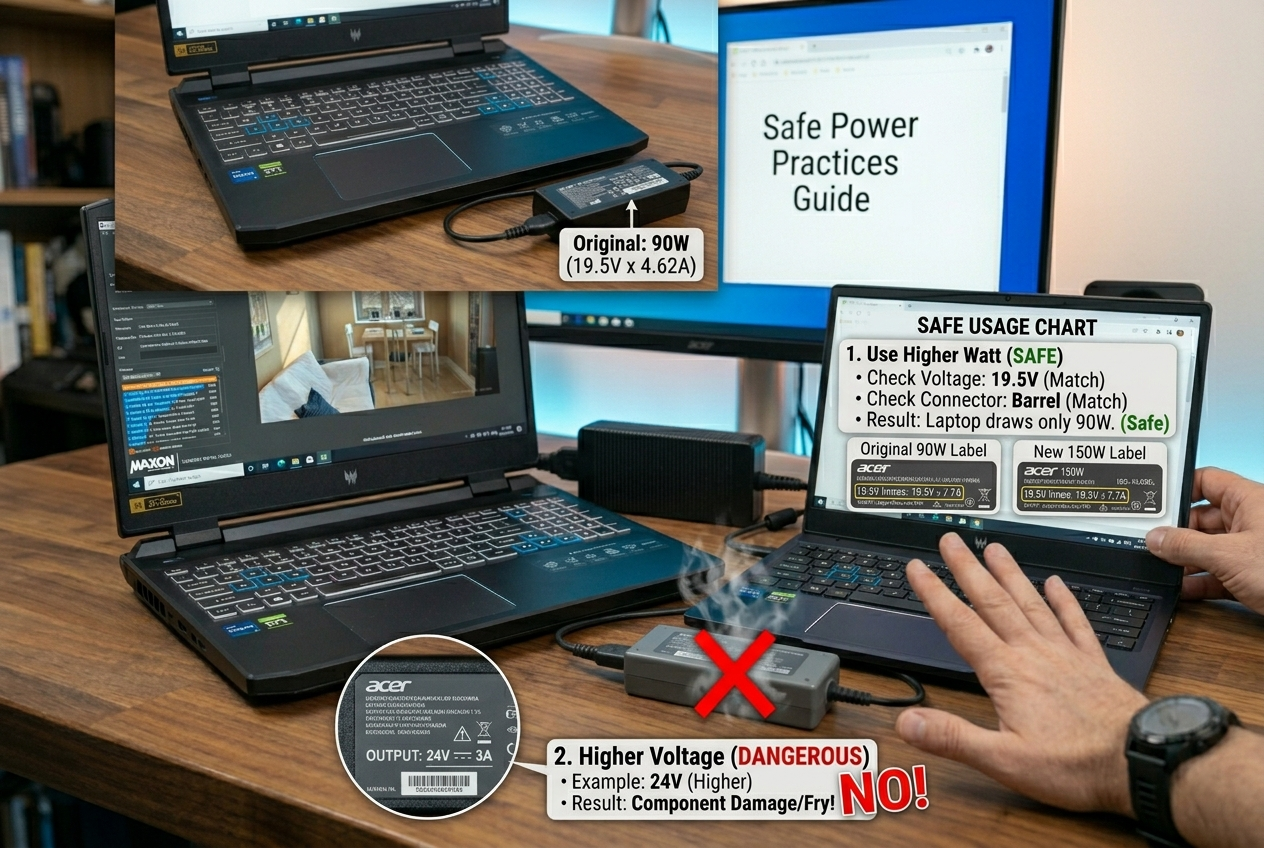
I once used a higher-watt OEM-compatible brick and saw no issues. The laptop drew only the required power.
best practices, connector types, and risks of mismatched chargers First, confirm the voltage. If your laptop requires 19.5V or 20V, the replacement must provide the same voltage. Ampere (and thus watt) can be equal or higher. For example, using a 330W (19.5V × 16.9A) brick to replace a 230W brick is fine if connectors match and the brick supports the same charging protocol. Many modern Predators use proprietary barrel connectors, while some models support USB-C PD[^8] or Acer’s own fast-charge implementations. If the laptop expects a smart handshake (via center pin or PD), use a charger that implements it. Cheap generic adapters may not signal the correct ID and can be rejected or provide unstable power. Avoid lower-watt replacements; they can cause throttling, random shutdowns, or battery stress. When in doubt, buy OEM or reputable third-party adapters that list compatibility with your exact model.
How to choose and buy the correct replacement adapter
I needed a quick checklist before ordering a spare.
Match the model number or adapter output (V and A). Prefer OEM or reputable third-party brands. Check connector type and any smart pin or PD support. Read reviews and look for safety certifications[^9].
I keep a verified spare and avoid fake or underspecified bricks.
step-by-step buying checklist and what to avoid Start with the laptop model number. Search Acer’s support or parts store for the exact adapter PN. If you only have the adapter, copy the output rating like "19.5V 11.8A". Multiply to check wattage. For third-party options, pick brands with good reviews and safety marks (CE, FCC, RoHS). Confirm the physical connector matches—barrel size or USB-C pinout. If your Predator uses USB-C PD[^8], ensure the adapter supports PD and the correct power profile. Look for features like over-voltage, over-current, short-circuit protection, and thermal protection. Avoid unbranded cheap adapters that omit these protections. If you often game on battery boosts or use high-power modes, choose an adapter with equal or higher wattage than the original. Finally, verify return policy and warranty[^10] in case of incompatibility.
Conclusion
Acer Predator chargers range from about 135W to 330W. Check your laptop or adapter label, match voltage, and buy OEM or certified replacements.
[^1]: Explore the specifications to understand the performance and power requirements of different models. [^2]: Learn about the wattage range to ensure you select the right charger for your gaming needs. [^3]: Understanding the label helps you identify the correct wattage and avoid performance issues. [^4]: The user manual provides essential information on specifications and charger requirements. [^5]: Understanding volts and amps is crucial for selecting the right charger for your laptop. [^6]: Explore OEM specs to ensure compatibility and safety when selecting a replacement charger. [^7]: Learn how discrete GPUs impact power consumption and charger requirements in gaming laptops. [^8]: Understanding USB-C PD can help you choose compatible chargers for modern laptops. [^9]: Learn about safety certifications to avoid unreliable or dangerous charger options. [^10]: A good return policy and warranty ensure you can exchange or return incompatible chargers.