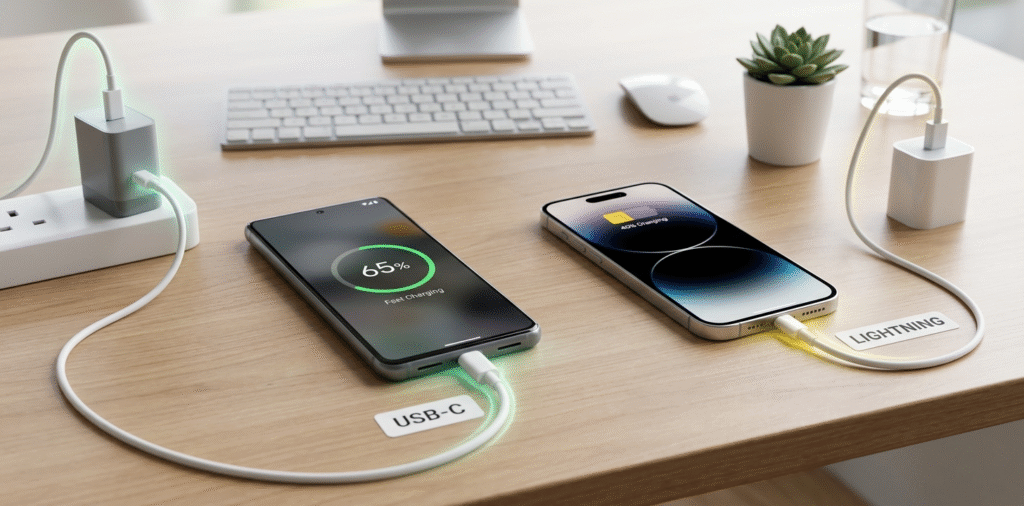
My old iPhone charger felt slow when I tried a USB-C brick.
USB-C can charge faster than Lightning[^1] when the device and cable support higher power delivery standards. Lightning[^1]’s speed depends on the adapter and cable; USB-C with PD or PD2.0/3.0 usually enables higher wattage.
I tested both on different phones and saw USB-C reach higher wattage when the phone supported it.
Stop if you only want the simple answer. Read on if you want protocol details, real-world limits, and when USB-C brings real gains.
Which is better Lightning[^1] or USB-C?
I once balanced convenience against speed and compatibility.
USB-C is better overall for higher power, wider device support, and standardization. Lightning[^1] is compact and works well on older iPhones, but it lacks the same universal high-watt PD support.
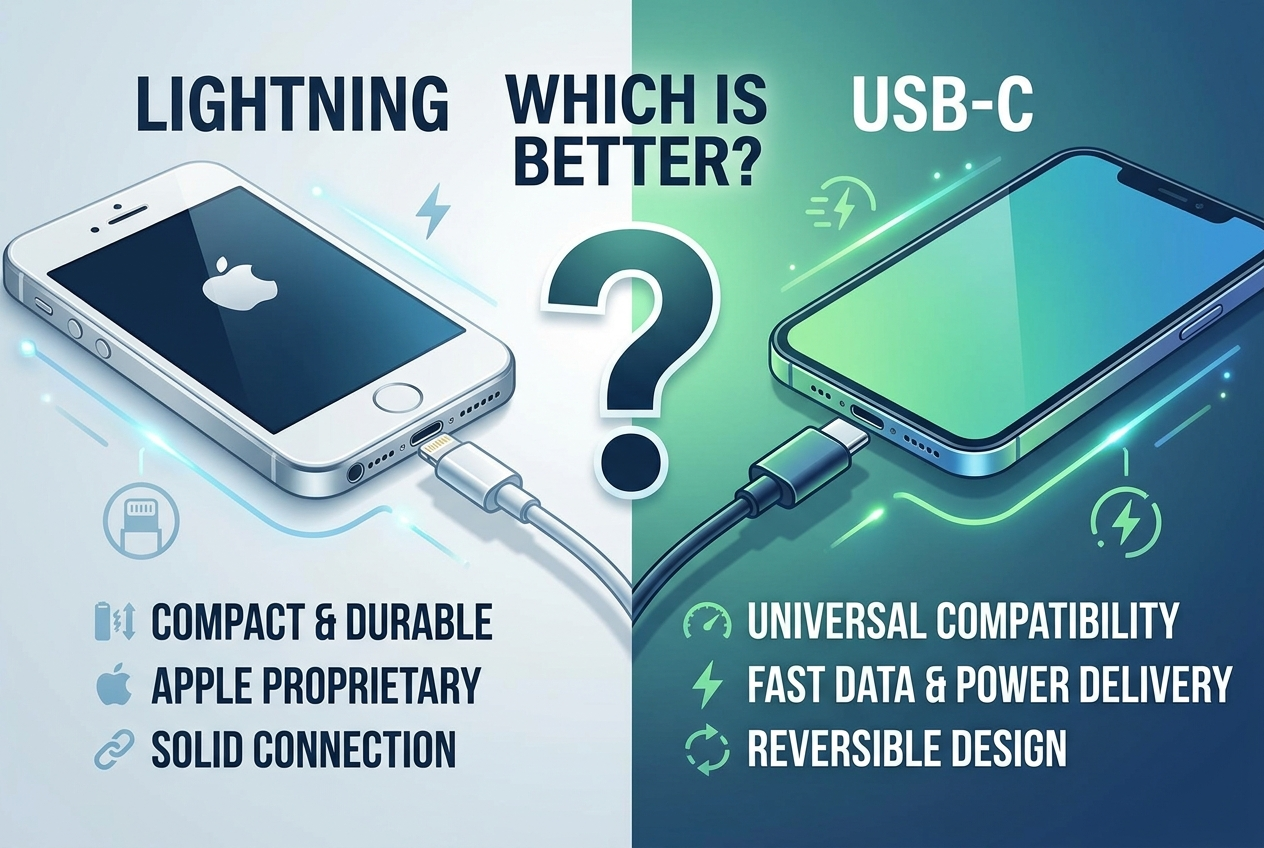
I prefer USB-C for travel because one cable often charges phone, tablet, and laptop.
USB-C is a connector standard. It supports USB Power Delivery[^2] (PD), PPS, and other high-power profiles. Those profiles allow dynamic voltage and higher current. That enables fast charging for many devices, including laptops, tablets, and phones. Lightning[^1] is Apple’s proprietary connector. Apple uses Lightning[^1] with USB Power Delivery[^2] when you pair a Lightning[^1]-to-USB-C cable and a PD adapter. That means Lightning[^1] can be fast if the phone’s charging circuitry[^3] accepts PD profiles. Historically, Apple limited native high-watt charging on iPhones, so Lightning[^1] rarely matched the highest USB-C phone speeds. Now, Apple supports higher input on newer iPhones via USB-C to Lightning[^1] cables with PD. Still, the cable type alone does not decide speed. The phone’s internal charging circuits, battery design, and firmware control how much power the device accepts. For cross-device compatibility and higher maximum power, USB-C wins. For a seamless Apple ecosystem with older accessories, Lightning[^1] still works fine.
Is USB-C faster charging on iPhone?
I upgraded cables to see a real difference on my iPhone.
Yes, USB-C with a PD charger can charge iPhones faster than older USB-A to Lightning[^1] combinations. The iPhone must support PD and the charger must supply appropriate PD wattage. Real gains depend on the iPhone model[^4].
I saw faster 0–50% times on an iPhone using a 20–30W PD charger and USB-C to Lightning[^1] cable.
Apple enabled faster charging via USB Power Delivery[^2]. For many recent iPhones, a 20W USB-C PD adapter gives significantly faster top-up than older 5W adapters. For example, many iPhones charge to about 50% in roughly 30 minutes with a 20–30W PD charger. If you use an old USB-A to Lightning[^1] adapter at 5W, the charge is much slower. But note limits: iPhones have internal maximum input limits. They may not use 45W or 60W even if the charger offers it. So a 20W–30W PD adapter often hits the practical sweet spot for iPhones. Use an Apple-certified USB-C to Lightning[^1] cable or a reputable MFi cable[^5]. That ensures proper communication and safe charging. Also, iOS may manage charging speed[^6] to protect battery health. It can slow charging in high temperatures or enable optimized charging features that delay full charge.
Can USB-C deliver 240W?
I read headlines about 240W USB-C[^7] and wanted to know if my phones could use it.
Yes, USB-C can deliver up to 240W under the USB PD 3.1[^8] Extended Power Range (EPR) spec. However, most phones do not accept that power. That wattage is mainly for high-power laptops and devices with appropriate power hardware.
I saw power bricks on the market claiming 240W but they were meant for large laptops, not phones.
USB Power Delivery[^2] 3.1 introduced the Extended Power Range, which allows higher voltages like 48V and power up to 240W (48V × 5A). To safely carry that power, the cable, connector, and device must meet EPR requirements. Cables need to be electronically marked or rated for the higher current and voltage. For phones, the limit is usually lower. Phone charging ICs, battery safety, and thermal limits prevent accepting 240W. Smartphone cells and thermal designs cannot safely handle that input. A few experimental or specialized phones could accept very high wattage, but this is rare. Instead, phone makers use targeted high-watt systems[^9] like 100W or 150W for select models. Also remember safety: a 240W supply must negotiate power properly. Without correct PD handshake and cable rating, the charger will not deliver EPR voltages. So while USB-C can deliver 240W in theory and in some products, that capability is for high-power devices and not typical smartphones.
Conclusion
USB-C typically charges faster than Lightning[^1], especially when used with USB Power Delivery[^2] (PD) chargers, which allow for higher wattages (e.g., 27W for iPhones). USB-C is the better option for charging speed[^6], device compatibility, and future-proofing. It is now widely adopted across Apple and other device brands. USB-C can deliver up to 240W of power using USB PD 3.1[^8], making it an ideal choice for larger devices like laptops and gaming systems. For iPhones, USB-C charging (starting with the iPhone 15) offers faster charging speed[^6]s compared to the older Lightning[^1] charger.
In summary, if you’re looking for the fastest and most versatile charging solution, USB-C is the clear winner, especially with the increasing support for higher power delivery and universal compatibility across a wide range of devices.
[^1]: Learn about Lightning's limitations and advantages compared to USB-C to make informed decisions about your charging needs. [^2]: Discover how USB Power Delivery enhances charging speeds and efficiency for various devices. [^3]: Understand the importance of charging circuitry in determining how quickly your devices can charge. [^4]: Identify which iPhone models can benefit from faster charging speeds with USB-C for better performance. [^5]: Learn about MFi certification and its significance in ensuring safe and efficient charging for Apple devices. [^6]: Get tips on maximizing your device's charging speed for a more efficient charging experience. [^7]: Find out the truth about USB-C's power capabilities and its application in smartphones versus laptops. [^8]: Explore the advancements in USB PD 3.1 and how they improve charging capabilities for modern devices. [^9]: Understand the technology behind high-watt charging systems and their benefits for fast charging.