USB-A[^1] and USB-C[^2] are two of the most common USB connector types used in chargers and electronic devices. While they serve the same basic purpose—power delivery[^3] and data transfer[^4]—their design, performance, and capabilities are very different. Understanding these differences helps users choose the right charger and cable for their devices and explains why USB-C[^2] is becoming the global standard.
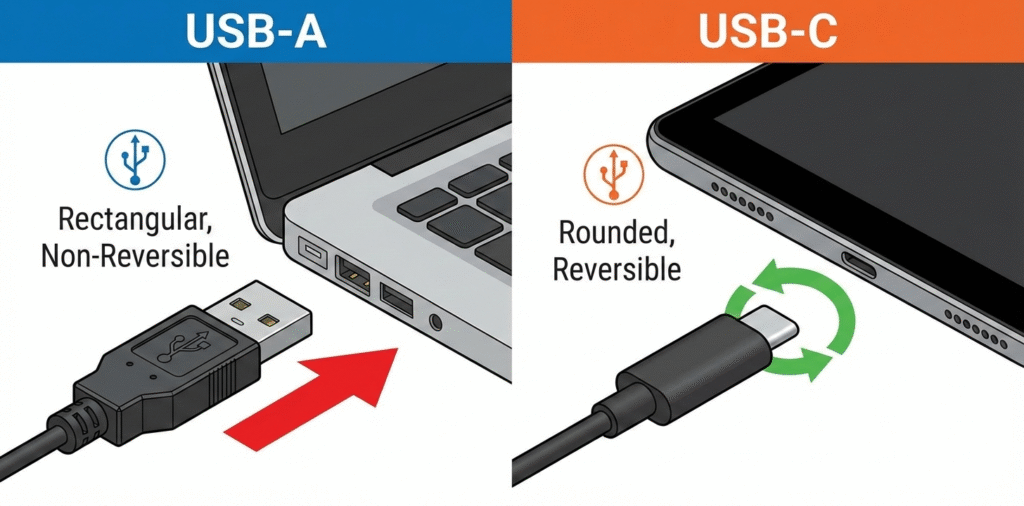
USB-A[^1] is the old rectangular plug. USB-C[^2] is smaller, reversible, and supports higher power and faster data through newer protocols.
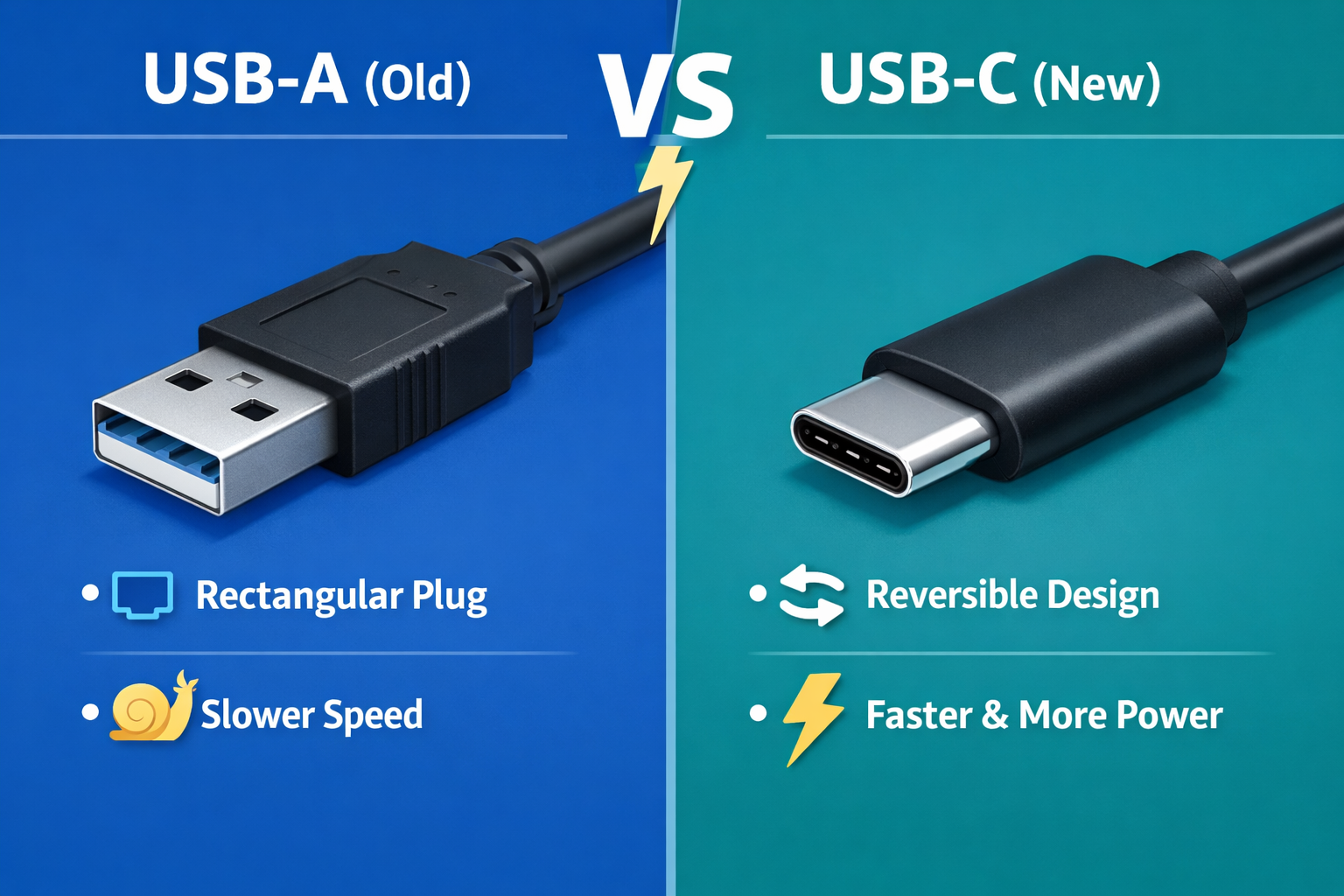
Know your device needs before you buy adapters or cables.
What is the difference between USB-A[^1] and C chargers?
I list the practical contrasts that matter for charging and everyday use.
USB-A[^1] is a legacy connector with limited power and one-way plug. USB-C[^2] is modern, reversible, supports USB Power Delivery, and can supply much higher voltage and current.
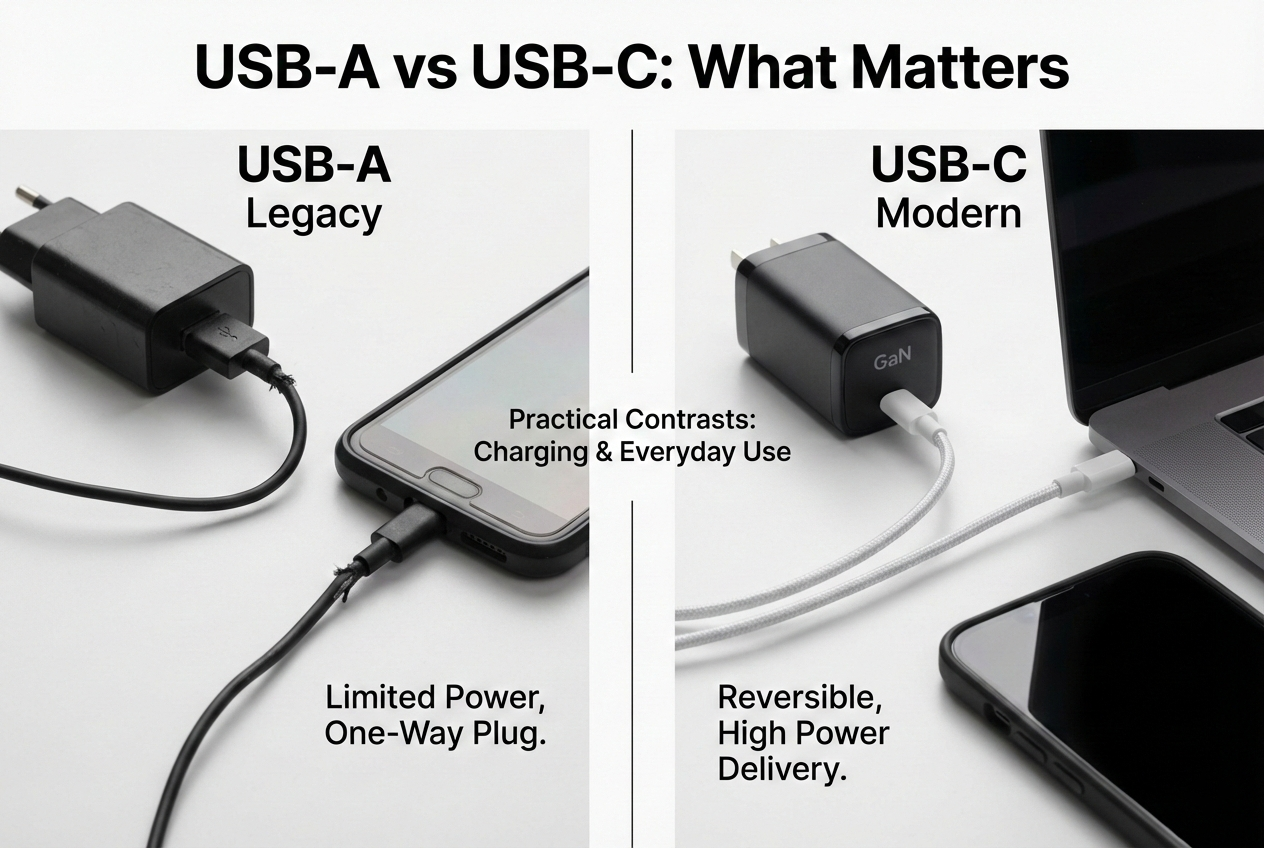
USB-A[^1] is the large rectangular port found on old chargers, PCs, and power banks. It typically follows older USB power rules. Standard USB-A[^1] ports often supply 5V and limited current. Some enhanced USB-A[^1] ports offer higher current by using proprietary fast-charge standards, but they stay limited by the connector and host design. USB-C[^2] is a small oval, reversible plug. It was designed to be universal. With USB Power Delivery (PD), USB-C[^2] can deliver up to 100W (20V at 5A) or more in newer specs. USB-C[^2] supports better negotiation between device and charger. That means the charger and phone can agree on voltage and current for faster and safer charging. For charging, USB-C[^2] also supports Programmable Power Supply[^5] (PPS) for stepwise voltage control and better thermal behavior. In short, USB-C[^2] chargers are more flexible and powerful. USB-A[^1] remains common and fine for basic needs and legacy devices.
Can I convert USB-C[^2] to USB-A[^1]?
I explain adapter options[^6], limits, and what will change when you convert.
Yes. You can use passive adapters or cables to connect USB-C[^2] devices to USB-A[^1] ports, but power and feature limits apply. Active adapters can convert signals but cost more.
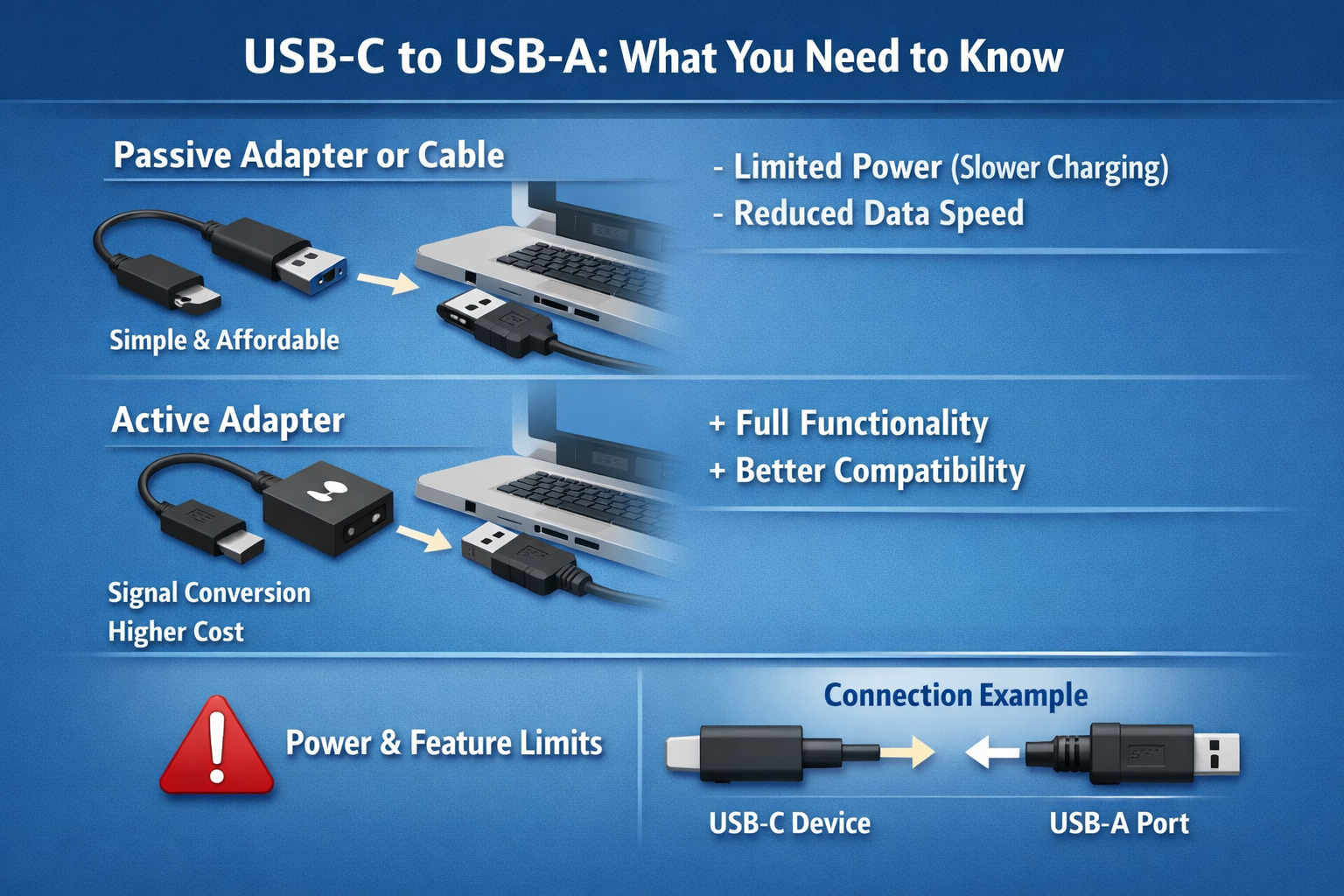
Passive USB-C[^2] to USB-A[^1] cables or adapters simply map the physical pins that carry USB 2.0 data and basic power. They work for charging and USB 2.0 data. They do not carry USB-C[^2] power delivery[^3] or SuperSpeed USB 3.x data unless the cable and host support it and wiring matches. If you plug a USB-C[^2] device into a USB-A[^1] charger with a passive cable, the device will usually fall back to standard 5V charging. It will not get PD voltages or high currents negotiated by PD. That means slower charging for phones that support PD. Active adapters exist to convert protocols or provide PD from a USB-A[^1] host, but they are rare and limited. Also, do not force USB-C[^2] high-power devices to a poor-quality adapter. Some cheap adapters can damage devices or not support critical features. For full PD and fast charging, use a proper USB-C[^2] PD charger and a USB-C[^2] to USB-C[^2] cable.
Why is USB-C[^2] faster than USB-A[^1]?
I break down technical and practical reasons USB-C[^2] enables higher speed and power.
USB-C[^2] supports modern protocols (USB 3.x, Thunderbolt[^7], PD) and more signal lanes. USB-A[^1] connectors were not designed for those higher pin counts and power negotiations.
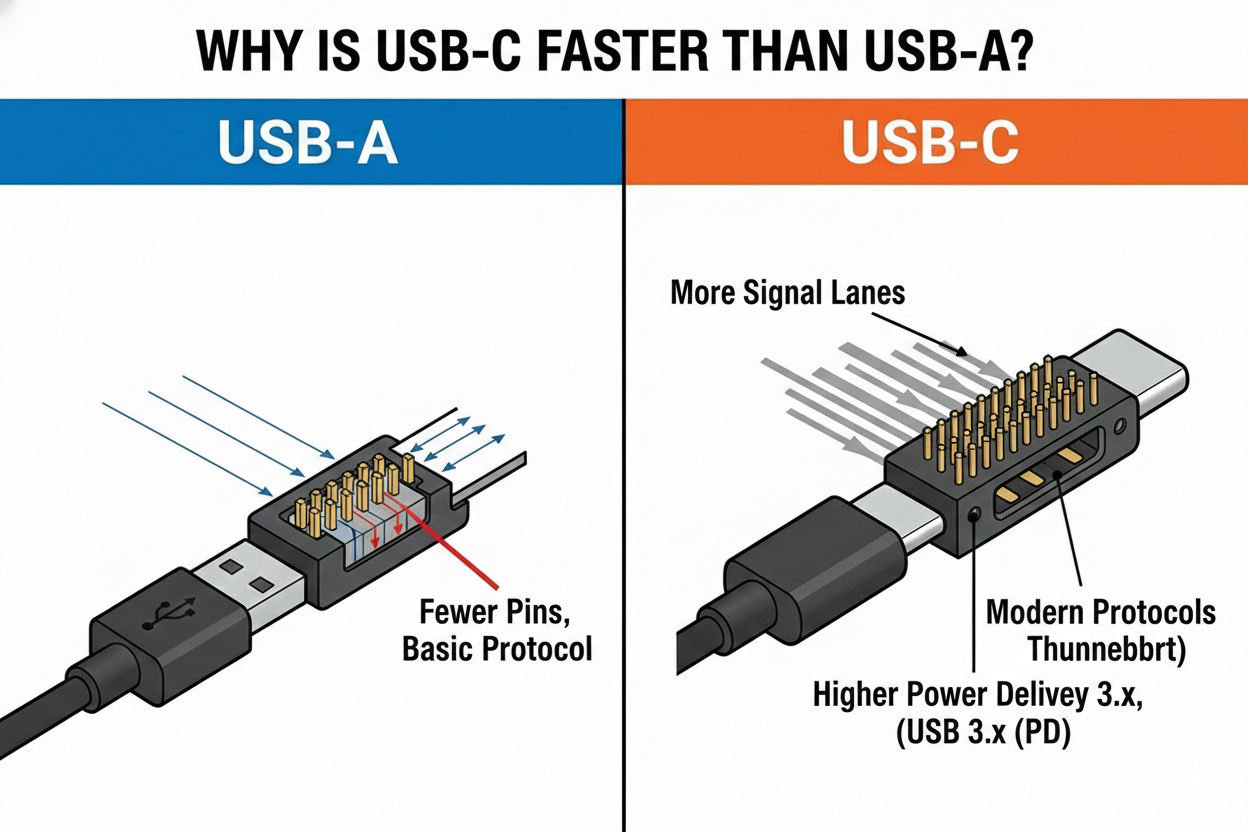
USB-C[^2] was built to carry multiple protocols and higher data rates. The connector has more pins and differential pairs than USB-A[^1]. That lets it support USB 3.1/3.2 SuperSpeed signals and even Thunderbolt[^7] 3/4 on compatible devices. These protocols use multiple high-speed lanes[^8], which raise throughput to 10 Gbps, 20 Gbps, or higher. USB-C[^2] also supports alternate modes that let video or other signals pass through, like DisplayPort. On the power side, USB-C[^2] with USB Power Delivery allows bidirectional power and negotiation to step up voltage and current safely. USB-A[^1] was designed when 5V USB charging and lower data rates were normal. It lacks the pin layout and protocol support for PD negotiation and multi-lane high-speed data. Even when some USB-A[^1] ports support faster charging, they cannot match PD’s flexible voltage steps or the high currents supported over USB-C[^2]. Cable quality and device design also matter. A certified USB-C[^2] cable with correct wiring and shielding is needed for high speeds. Cheap cables may limit performance or be unsafe. Overall, USB-C[^2] is faster because it was engineered for modern needs: higher power, smarter negotiation, and greater data bandwidth.
When possible, choose USB-C[^2] chargers and cables that match your device’s power and data needs.
Conclusion
The difference between USB-A[^1] and USB-C[^2] goes far beyond shape. USB-A[^1] is reliable and widely compatible, but limited in speed and power. USB-C[^2] offers faster charging, higher data speeds, reversible design[^9], and support for advanced technologies, making it the preferred choice for modern devices.
While you can convert USB-C[^2] to USB-A[^1] for convenience, doing so reduces performance. For the best charging speed[^10] and efficiency, a USB-C[^2] charger with a USB-C[^2] to USB-C[^2] cable is the optimal solution—especially for today’s smartphones, tablets, and laptops.
[^1]: Explore the pros and cons of USB-A connectors to understand their role in modern technology. [^2]: Learn why USB-C is preferred for charging and data transfer, and how it benefits users. [^3]: Discover the mechanics of USB Power Delivery and how it enhances charging efficiency. [^4]: Find out how USB-A and USB-C compare in data transfer speeds and capabilities. [^5]: Learn about Programmable Power Supply and its role in optimizing charging performance. [^6]: Get insights into the various adapter options for connecting USB-C devices to USB-A ports. [^7]: Explore how Thunderbolt technology expands the functionality of USB-C connectors. [^8]: Discover how high-speed lanes in USB-C improve data transfer rates and efficiency. [^9]: Understand the advantages of reversible connectors and how they improve user experience. [^10]: Learn about the factors that influence charging speed in USB-C devices for optimal performance.