I once bought a wireless charger that stopped working after a month.
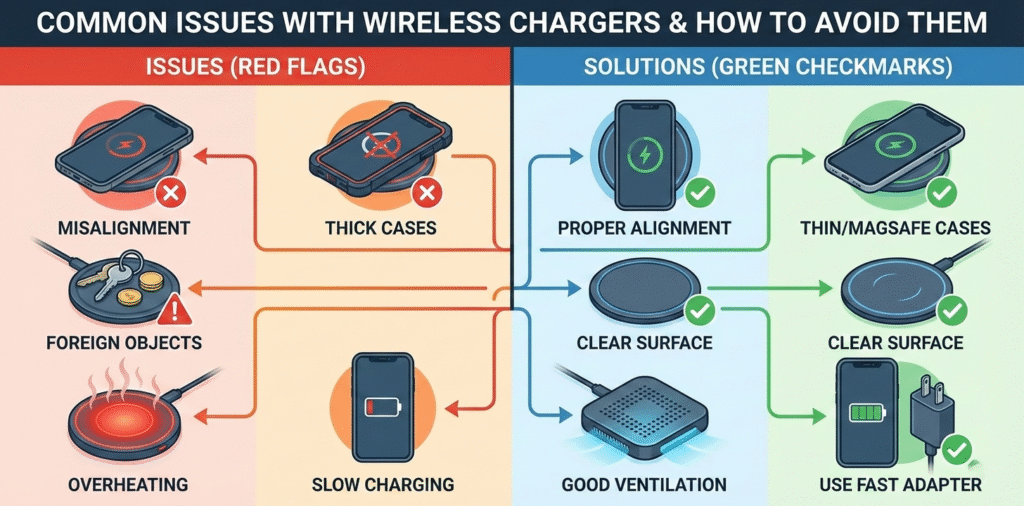
Wireless chargers[^1] can fail due to misalignment[^2], low power adapters[^3], heat[^4], foreign objects[^5], and poor cables[^6]; choosing quality parts[^7] and proper use prevents most problems.
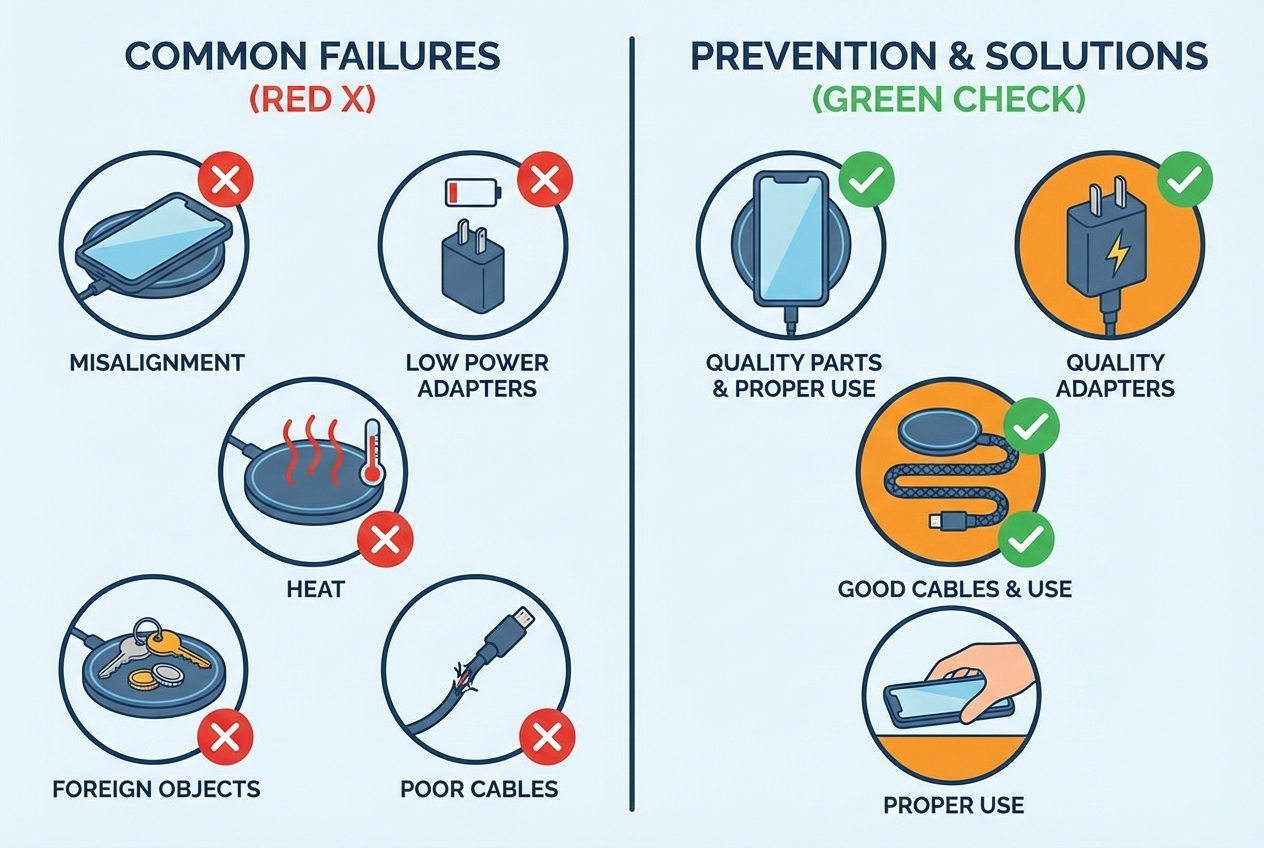
I replaced that cheap pad after learning the basics. Wireless charging is simple when the kit is right. The charger, cable, adapter, and device must match. Alignment matters. Power delivery matters. Heat shortens life and slows charging. Metal or magnets between the coil block charging and can spark. I now pick certified chargers, use the right adapter and cable, and test alignment before I leave home.
If you want reliable wireless charging, follow basic rules and use quality parts[^7] to avoid common failures.
Why won’t my phone charge on a wireless pad?
I placed my phone on a pad and saw only a flashing light.
Most failures come from misalignment[^2], incompatible cases, low-power adapters, or foreign objects[^5] like metal or cards between the phone and pad.
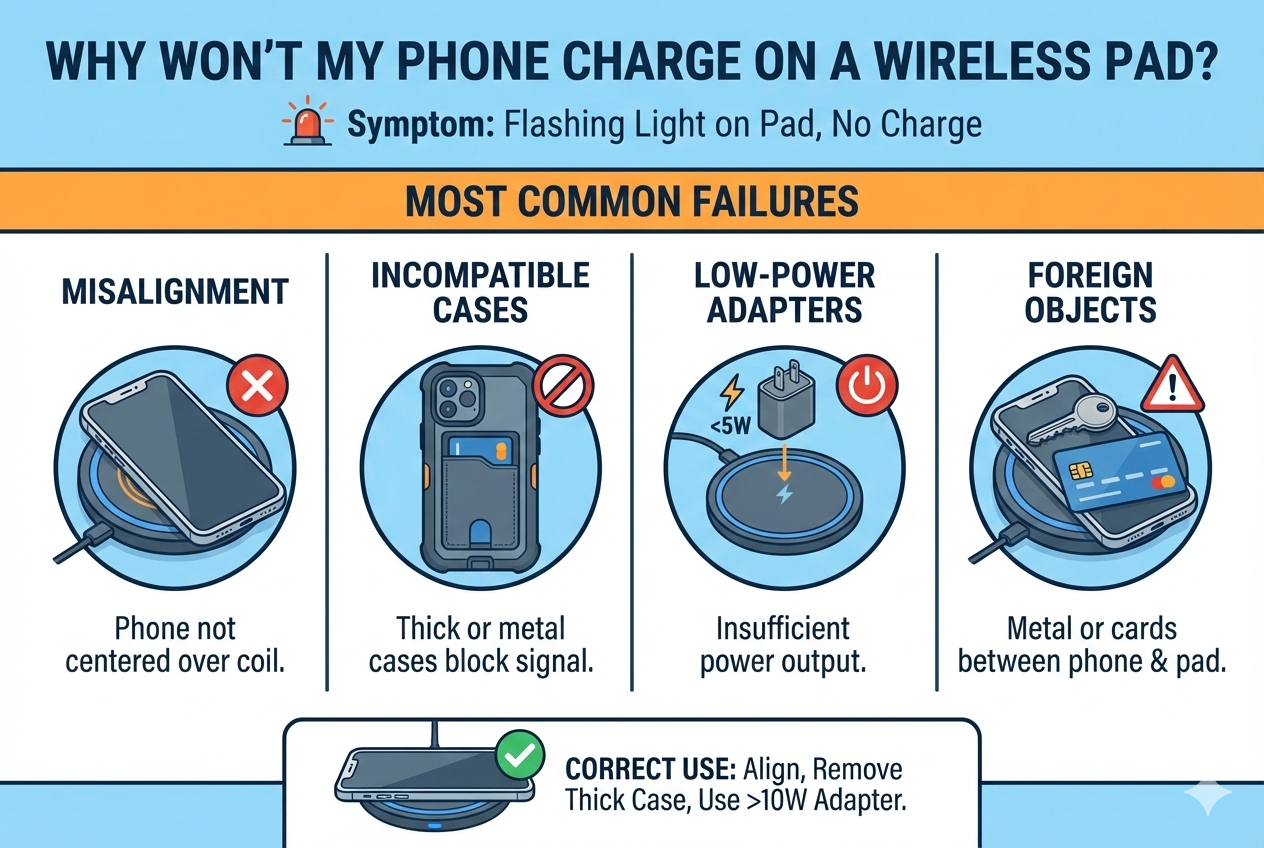
Alignment means the phone's coil must sit over the pad's coil. Thick or magnetic cases shift the coil position or add distance. A cheap adapter may not supply enough current to the pad. Metal objects or keycards can stop charging and trigger safety cutouts. I always remove thick cases and magnetic car mounts and use a PD fast adapter. I test the pad with another device to isolate the problem. If the pad still fails, I check for visible damage and try a different cable.
diagnosing no-charge issues and quick fixes (150+ words) Start by checking the obvious things. Remove the phone case and place the phone in the center of the pad. Use a short, high-quality cable and a wall adapter that supplies the pad’s rated input (for example, a 18W or 30W PD adapter). Look for foreign objects[^5] under the phone. Metal credit cards, coins, or mounts can block charging or make the pad enter protection mode. If the phone still does not charge, try another phone or pad to rule out device or pad failure. Inspect LED behavior[^8]: steady light usually means charging, blinking often signals misalignment[^2] or foreign object detection. If your pad supports alignment guides or magnets, use them carefully and avoid strong magnetic mounts that change the coil distance. Also check firmware updates on the phone, since wireless charging protocols[^9] can improve with updates. Finally, test the adapter and cable on other USB devices to confirm they supply proper power.
Why is my wireless charger slow?
I noticed charging took hours compared with the cable.
Wireless charging is less efficient. Slow charging usually results from low-power adapters, older Qi versions, thick cases, or the phone throttling due to heat[^4].
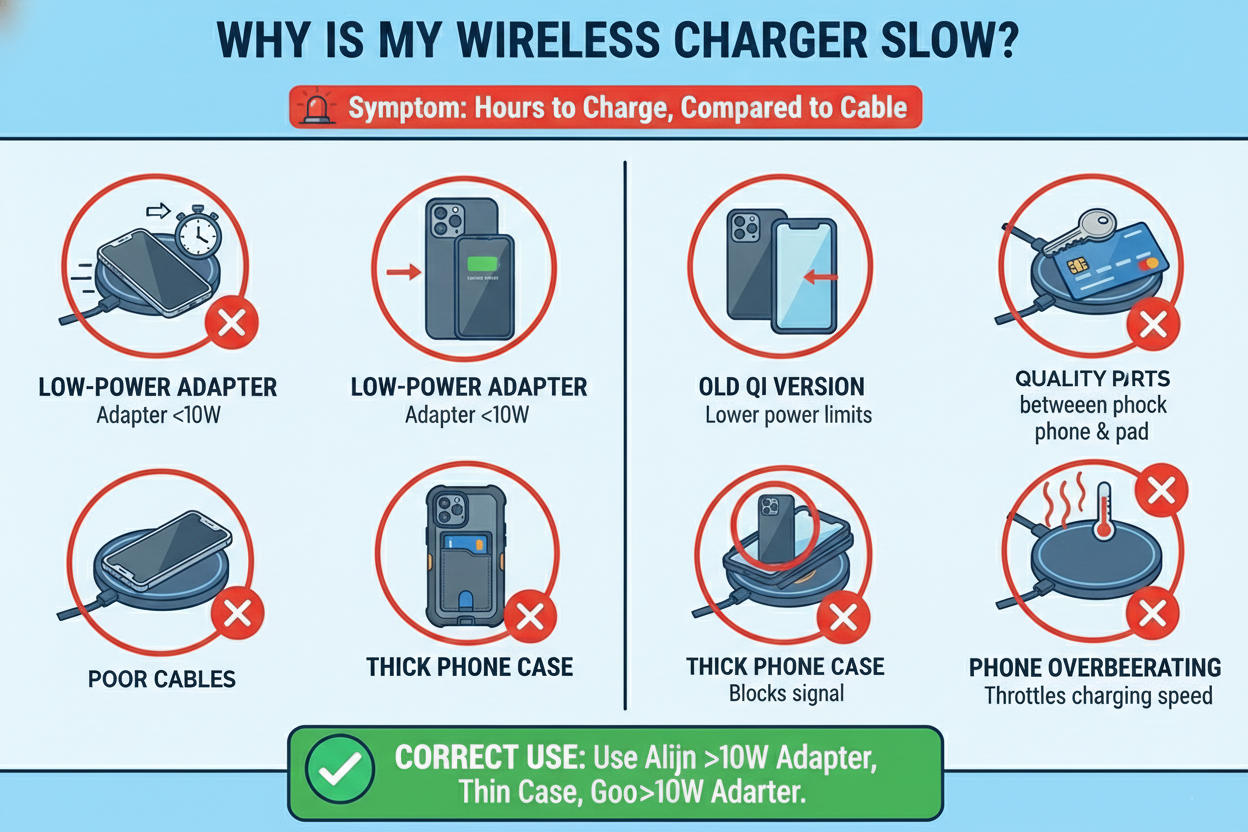
A phone may accept 15W wired fast charging but only 7.5W wirelessly. If the pad lacks PD input or the adapter is weak, speeds drop further. Heat forces phones to throttle power, which slows charging. Removing cases, improving ventilation, and using a pad and adapter rated for the phone’s wireless speed help. For the fastest results, use a pad with good coil design and a quality PD adapter that meets the pad’s input specification.
how power, protocol, and heat[^4] impact charging speed[^10] (150+ words) Wireless power follows Qi standards and depends on the phone’s receiver and the pad’s transmitter. Higher Qi versions and proprietary extensions can allow faster rates, but the phone decides the rate through negotiation. The pad needs sufficient input power; many pads list 10W, 15W, or 20W input requirements. Use an adapter that can meet that input. Poor cables or weak adapters reduce the pad’s available power. Heat is the main limiter. When the phone or pad gets hot, charging circuits reduce power to protect the battery. This often happens in hot environments or with cases that trap heat[^4]. Coil design affects efficiency too; single small coils force precise placement, while larger or multiple coils[^11] increase effective charging area and reduce misalignment[^2] losses. To improve speed, remove thick cases, allow airflow, use a certified pad with the right adapter, and avoid charging in direct sunlight or on soft surfaces like beds that block cooling.
Why does my charger get hot and is it dangerous?
My wireless pad became very warm after an hour.
Some heat[^4] is normal. Excess heat[^4] comes from inefficiency, poor ventilation, incorrect adapter, or foreign objects[^5]. Sustained high temperatures can degrade batteries and electronics.
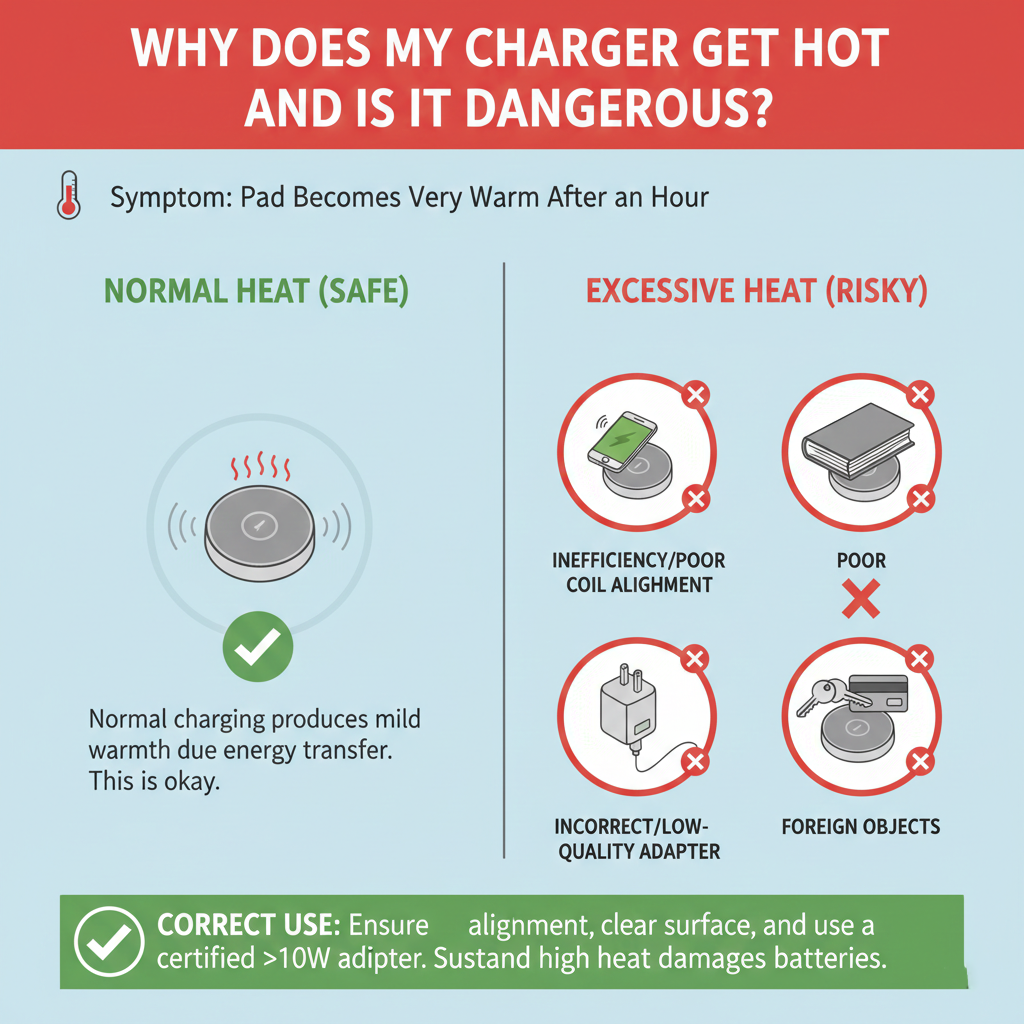
I watch temperature closely. A warm pad and phone are normal during fast charging. Hot to the touch is a warning. If the pad gets very hot, unplug it and check for metal under the phone or a bad cable. Use a proper adapter and certified pad. Avoid charging on pillows or soft surfaces. If the phone’s battery or the pad shows damage, stop using it.
safe operating temperatures and prevention steps (150+ words) Manufacturers design chargers to run warm within safe limits. Typical safe surface temperature is under 50–60°C during heavy use. Prolonged exposure above that can speed battery aging and damage internal components. To prevent overheat[^4]ing, use adapters that match the pad’s input power rating. Ensure good airflow around the pad and avoid stacked items that trap heat[^4]. Remove phone cases that insulate, and avoid metallic objects that cause hotspots. Choose chargers from reputable brands with safety certifications[^12] such as UL, CE, FCC, and Qi certification[^13], which require thermal and safety testing. Also check for foreign object detection (FOD) and temperature cutoffs in the product spec. If the pad repeatedly overheat[^4]s, stop using it and contact the manufacturer. For business use or resale, insist on test reports[^14] and thermal cycle data from the supplier.
Why does my phone overheat[^4] while charging wirelessly?
My phone showed a high temperature warning and slowed charging.
Phones heat[^4] up when charging wirelessly because energy conversion creates heat[^4], and the battery and phone internals generate heat[^4] too. Cases and poor ventilation make it worse.
I avoid wireless charging when I need the phone for heavy tasks like GPS or gaming. Those tasks add heat[^4] and force throttling. If the phone shows a temperature warning, remove the case, pause charging, and move to a cooler spot. Consider wired charging for faster and cooler charging when the phone is in heavy use.
behaviors that increase phone temperature and how to manage them (150+ words) Certain behaviors increase battery and device temperature during wireless charging. Using navigation, streaming video, or running background backups while charging increases CPU load. That adds internal heat[^4] on top of charging losses. Thin metal-backed cases and magnetic accessories trap heat[^4] and can create local hotspots. Phones also reduce charging speed[^10] when they detect high temperatures, which lengthens charge time and keeps the battery warm for longer. To manage temperature, I stop intensive tasks while charging wirelessly. I remove insulating cases and keep the phone in an area with airflow. For long fast charges, I opt for wired PD charging with a proper cable and adapter because wired charging is usually more efficient and cooler. I also watch for software updates. Manufacturers sometimes release updates that improve charging profiles and thermal management.
Why does charging stop or cut in and out?
Charging sometimes starts and stops and the LED blinks.
Intermittent charging comes from misalignment[^2], unstable power from the adapter, loose cable, or foreign object detection. Poor pad design and cheap components can cause intermittent behavior.
I secure cables and use short high-quality cords. I check the adapter and try a different wall outlet. If the pad blinks or stops, I remove the phone and inspect both surfaces for debris or metal. If the problem repeats with multiple phones, the pad is likely faulty and needs replacement.
troubleshooting intermittent charging[^15] and long-term fixes (150+ words) Begin troubleshooting by isolating each element. Swap the cable and adapter to confirm stable input power. Test the pad with another phone or test the phone on another pad. Check the pad’s LED behavior[^8] and consult the manual for error codes; many pads blink for misalignment[^2] or FOD. Clean both surfaces with a dry cloth. Inspect for hair, dust, or metal filings that can interrupt the coupling. Replace worn or frayed cables, since a failing cable can cause voltage drops and intermittent operation. If the pad is older, components like the coil or PCB traces may have degraded from heat[^4] cycles. In that case, replace the pad. For reliable long-term use, choose pads with multiple coils[^11] and good mechanical build quality[^16]. Also consider pads with an anti-slip surface to reduce movement that causes intermittent alignment.
How to choose a reliable wireless charger?
I had many pads before I found one I trusted.
Choose Qi-certified chargers from reputable brands, check safety certifications[^12], use a proper PD adapter, and select multiple-coil or magnetic alignment[^17] designs for better reliability.
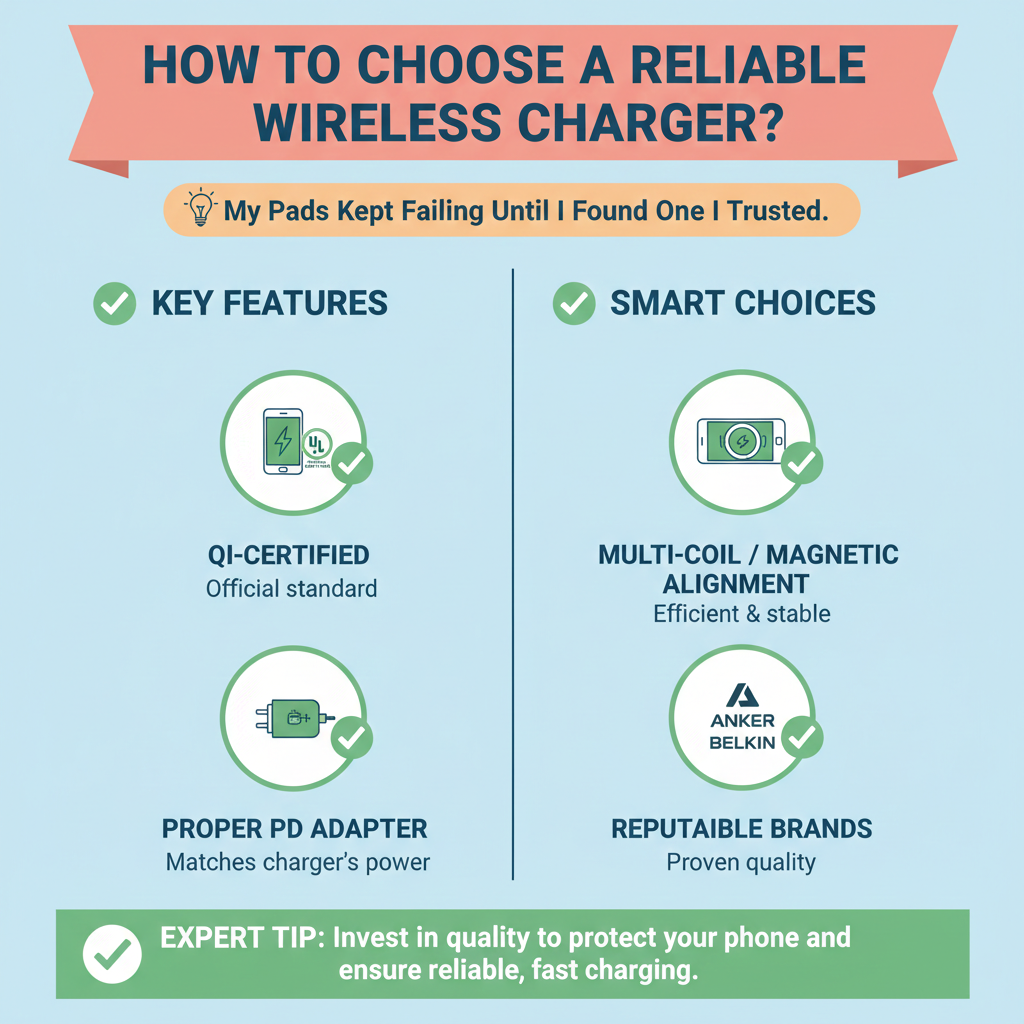
I prefer chargers with Qi certification[^13], UL or CE marks, and clear specs about input power and supported wattage. I read user reviews about heat[^4] and longevity. I buy chargers that list foreign object detection and temperature protection[^18]. For pockets and travel, foldable or compact magnetic designs work well with compatible phones.
specs and buying checklist (150+ words) My checklist is simple. First, look for Qi certification[^13]. That ensures basic interoperability and safety testing. Second, check safety marks like UL, CE, FCC, or regional equivalents. Third, confirm input requirements and use a quality PD adapter rated for the pad’s input power. Fourth, prefer multi-coil pads or magnetic alignment[^17] if your phone supports MagSafe or similar systems. Fifth, read reviews for heat[^4], noise, and longevity. Sixth, inspect build quality[^16]: good pads use heat[^4]-dissipating materials and firm, non-slip surfaces. Seventh, check for FOD and temperature cutoffs in the spec sheet. Eighth, for travel, choose a compact pad with foldable prongs and a robust short cable. Finally, buy from a reputable seller who provides test reports[^14] if you plan to resell. This approach reduces surprises and ensures consistent, safe charging.
Follow the checklist and use the right adapter and cables to get reliable wireless charging and avoid common failures.
Conclusion
Most wireless charging issues come from misalignment[^2], weak adapters, heat[^4], foreign objects[^5], and cheap parts; use quality, certified chargers, proper adapters, and good habits to avoid them.
[^1]: Explore this resource to understand the common problems and solutions related to wireless chargers. [^2]: Learn how misalignment can disrupt charging efficiency and how to avoid it. [^3]: Discover the impact of low power adapters on wireless charging performance. [^4]: Understand the reasons behind heat generation during wireless charging and its effects. [^5]: Find out how foreign objects can interfere with wireless charging and how to prevent it. [^6]: Explore how using low-quality cables can lead to charging failures. [^7]: Learn why investing in quality parts is crucial for reliable wireless charging. [^8]: Learn how to interpret LED behavior to diagnose wireless charging issues. [^9]: Discover the various charging protocols that impact wireless charging performance. [^10]: Explore the various factors that can influence the speed of wireless charging. [^11]: Learn how multiple coils can enhance the efficiency of wireless charging. [^12]: Learn about the essential safety certifications to look for in wireless chargers. [^13]: Discover the importance of Qi certification for ensuring compatibility and safety. [^14]: Understand the importance of test reports in ensuring the safety and performance of wireless chargers. [^15]: Find out the reasons behind intermittent charging issues and how to troubleshoot them. [^16]: Explore how build quality affects the longevity and reliability of wireless chargers. [^17]: Explore the benefits of magnetic alignment in ensuring effective wireless charging. [^18]: Understand the significance of temperature protection features in wireless chargers.