With the variety of phone chargers available on the market, it’s common to wonder whether you can use just any charger with your device. While many chargers might look similar, there are key differences in terms of compatibility, charging speed[^1], and even safety. Understanding these factors can help you make an informed decision and avoid issues like slow charging or potential damage to your phone.
You can use many chargers across phones, but ports, charging protocols, and safety features matter. Wrong combos may slow charging or cause damage.
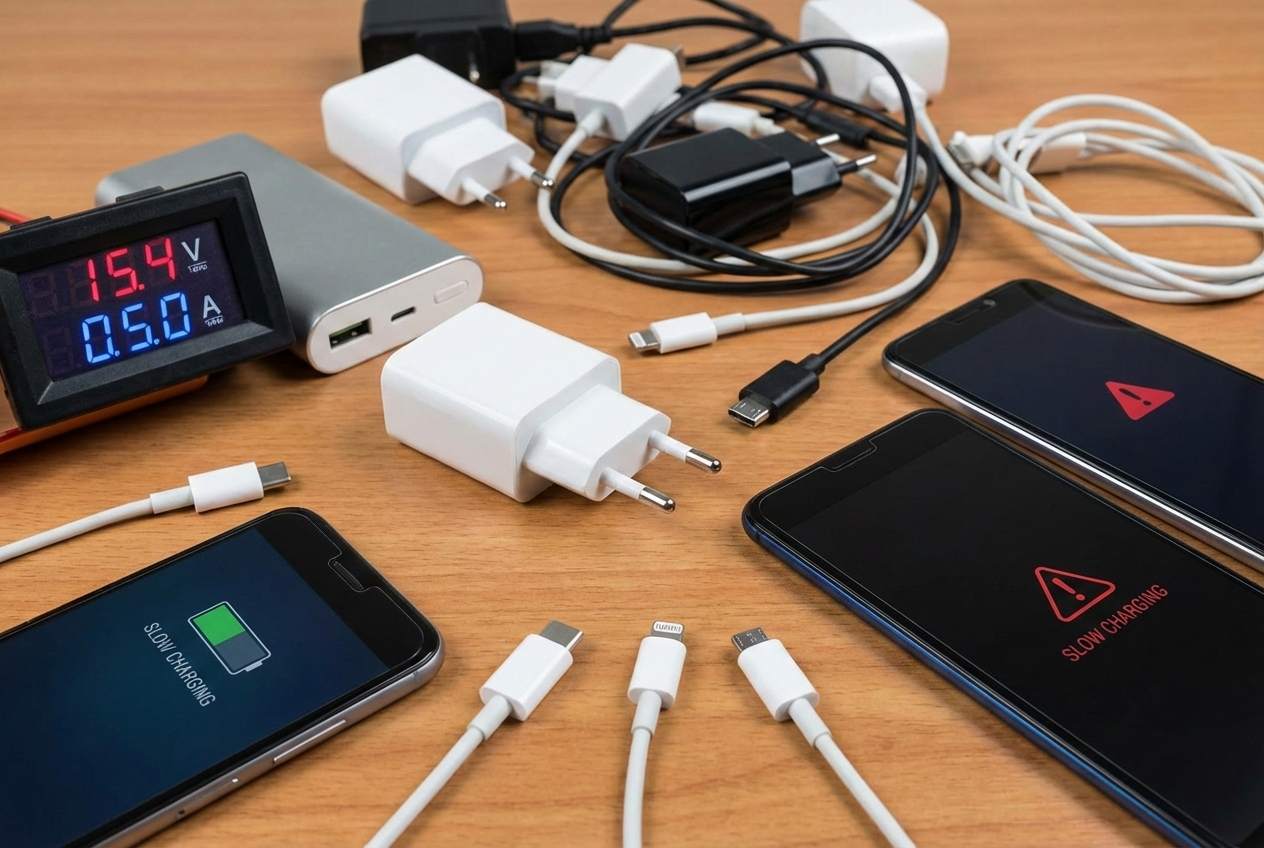
In this article, we’ll discuss the compatibility of different phone ports and charging technologies[^2], differences among mobile phone brands, and why some chargers might fail to charge your phone altogether.
USB-C[^3], Lightning[^4], Micro-USB[^5]: Compatibility of Different Phone Ports with Chargers?
I explain the common port types and what to watch for when mixing chargers and cables.
USB-C[^3] is reversible and supports high power and data. Lightning[^4] is Apple’s proprietary port. Micro-USB[^5] is older and slower. Physical fit is the first limit; protocol support is the second.
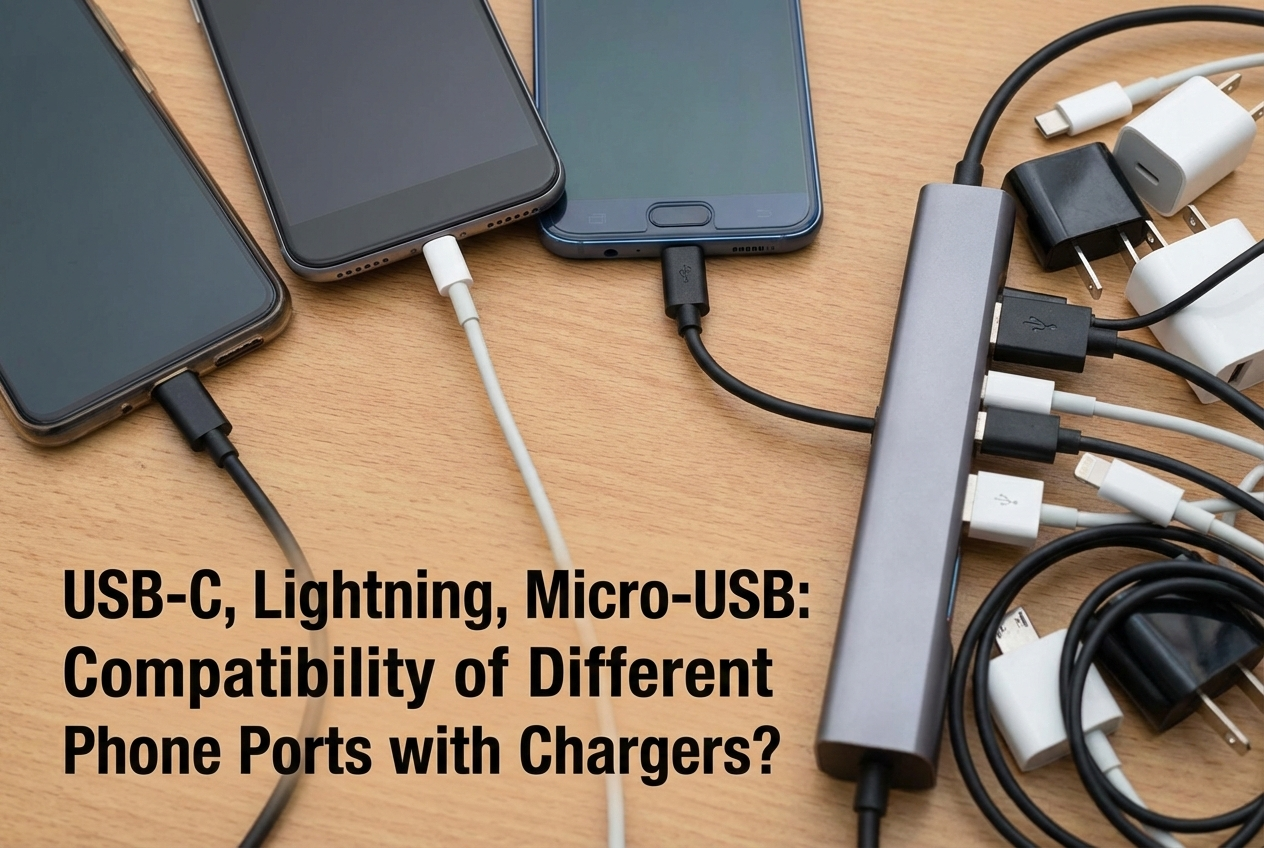 USB-C[^3] has become the universal standard for modern phones. It supports USB Power Delivery (PD)[^6] and can negotiate high voltages and currents. Many Android phones, tablets, and accessories use USB-C[^3]. Lightning[^4] is used in Apple iPhones (until recent regulatory changes). Lightning[^4] cables carry charging and data but require MFi-certified accessories for full compatibility and safety. Micro-USB[^5] is common on older or budget devices. It supports lower charging currents and older fast-charge standards. You cannot force a Lightning[^4] plug into a USB-C[^3] socket or vice versa. Adapters exist, but they can limit speed or break protocol features. If you use a USB-C[^3] to Lightning[^4] cable, the charger must support the protocol the phone expects. For example, iPhones can fast-charge via USB-C[^3] PD when using a USB-C[^3] to Lightning[^4] cable. Using the right cable matters as much as the charger. Always use cables that meet quality and certification standards.
Fast Charging vs. Standard Charging: How Do Different Charging Technologies Affect Compatibility?
I compare charging standards and explain why not all chargers charge at the same speed.
Fast charging needs negotiation between phone and charger. If the charger and phone use different fast-charge protocols, charging will default to a safe, slower rate.
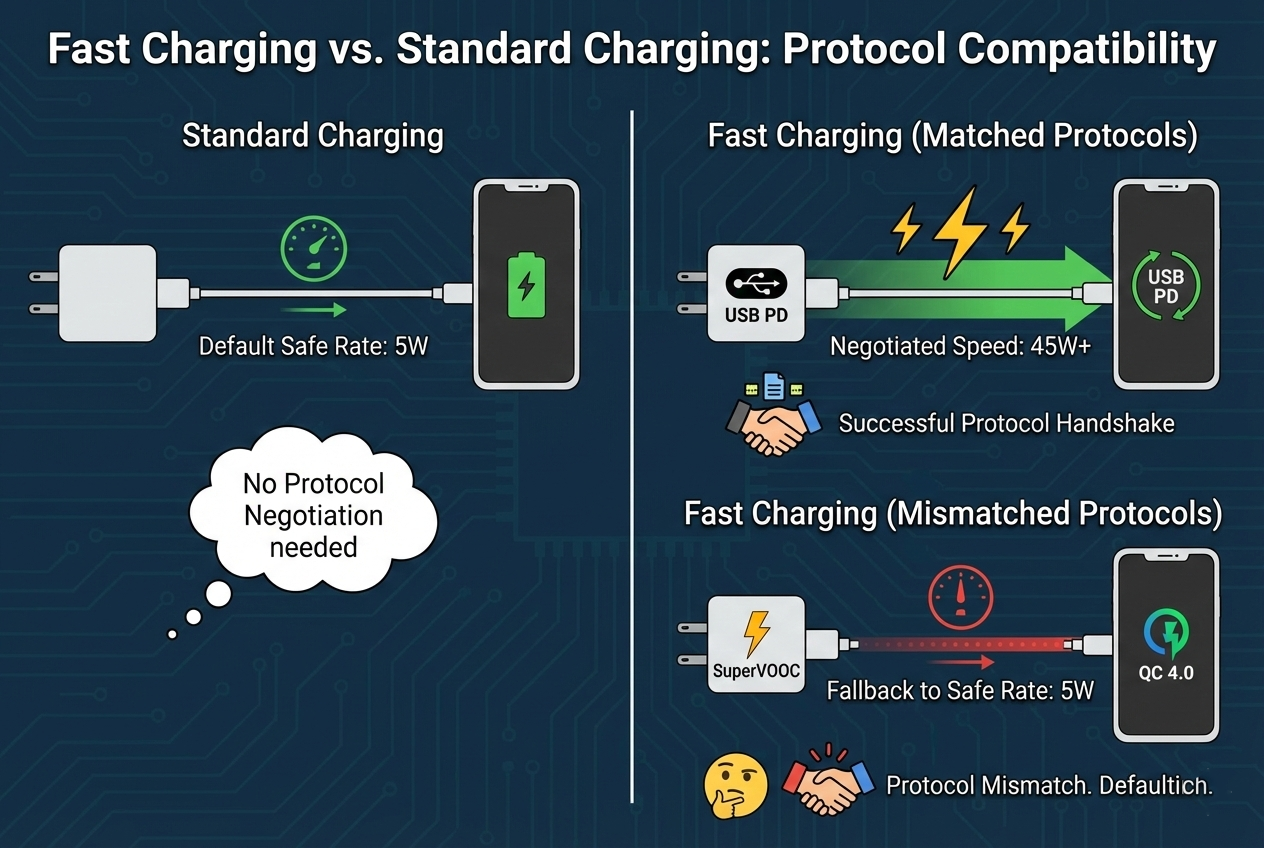
Fast charging schemes include USB Power Delivery (PD)[^6], Qualcomm Quick Charge (QC)[^7], Samsung Adaptive Fast Charging[^8], OnePlus Warp[^9], Oppo VOOC[^10], and MediaTek Pump Express, among others. PD is widely adopted and flexible across voltages. QC is common on many Android phones and offers higher voltages at various steps. Proprietary solutions like VOOC or Warp use special charging cables or adapters and often rely on current-based fast charging[^11] with unique communication. When the charger and phone speak the same protocol, they negotiate higher voltage or current and charge faster. If they do not, the phone falls back to USB default charging (usually 5V/500–1500mA) or a safer intermediate rate. Using a PD-capable charger with PD-enabled phones often gives fast charging[^11]. Using a random fast charger may not speed up your phone if protocols mismatch. Also, some phones limit fast charging[^11] at high temperatures or when battery health is low. For safety and best performance, use chargers and cables from reputable brands or those recommended by the phone maker.
Differences in Charger Compatibility Among Mobile Phone Brands
I outline how major brands approach charging and what that means for cross-compatibility.
Apple uses Lightning[^4] (and PD for fast charging[^11]). Most Android makers use USB-C[^3] with PD or proprietary schemes. Some brands require specific cables or adapters for full-speed charging.
Apple: Modern iPhones support fast charging[^11] via USB-C[^3] PD when used with a USB-C[^3] to Lightning[^4] cable and a PD charger. Apple certifies Lightning[^4] accessories through MFi. Using non-certified Lightning[^4] cables can cause errors or slow charging. Samsung: Recent Galaxy phones use USB-C[^3] and support PD and Samsung’s own Adaptive Fast Charging or Super Fast Charging (which may use PD PPS or a Samsung-enhanced PD). Google Pixel: Uses USB-C[^3] and PD; most Pixel models fast-charge with PD chargers. OnePlus / OPPO / Realme: These brands often use proprietary fast-charge tech (Warp, VOOC, SuperVOOC) that requires specific chargers and sometimes special wiring in cables. Using a generic PD charger may still charge but slower. Xiaomi: Offers multiple fast charging[^11] protocols depending on model; many support PD and some use proprietary high-current solutions. Budget or older brands: They may use Micro-USB[^5] and older standards; fast charging[^11] may not be supported. In practice, a PD-capable USB-C[^3] charger charges most modern phones safely. For maximum speed on phones with proprietary systems, use the brand’s charger or a compatible third-party unit that explicitly supports that protocol.
Why might some chargers fail to charge your phone?
I list common causes when a charger does not power a phone and simple checks to fix the issue.
Failures come from wrong cables, protocol mismatch[^12], damaged ports[^13], poor connectors, insufficient power[^14], or charger faults. Most issues are fixable with a swap of cable or a tested charger.
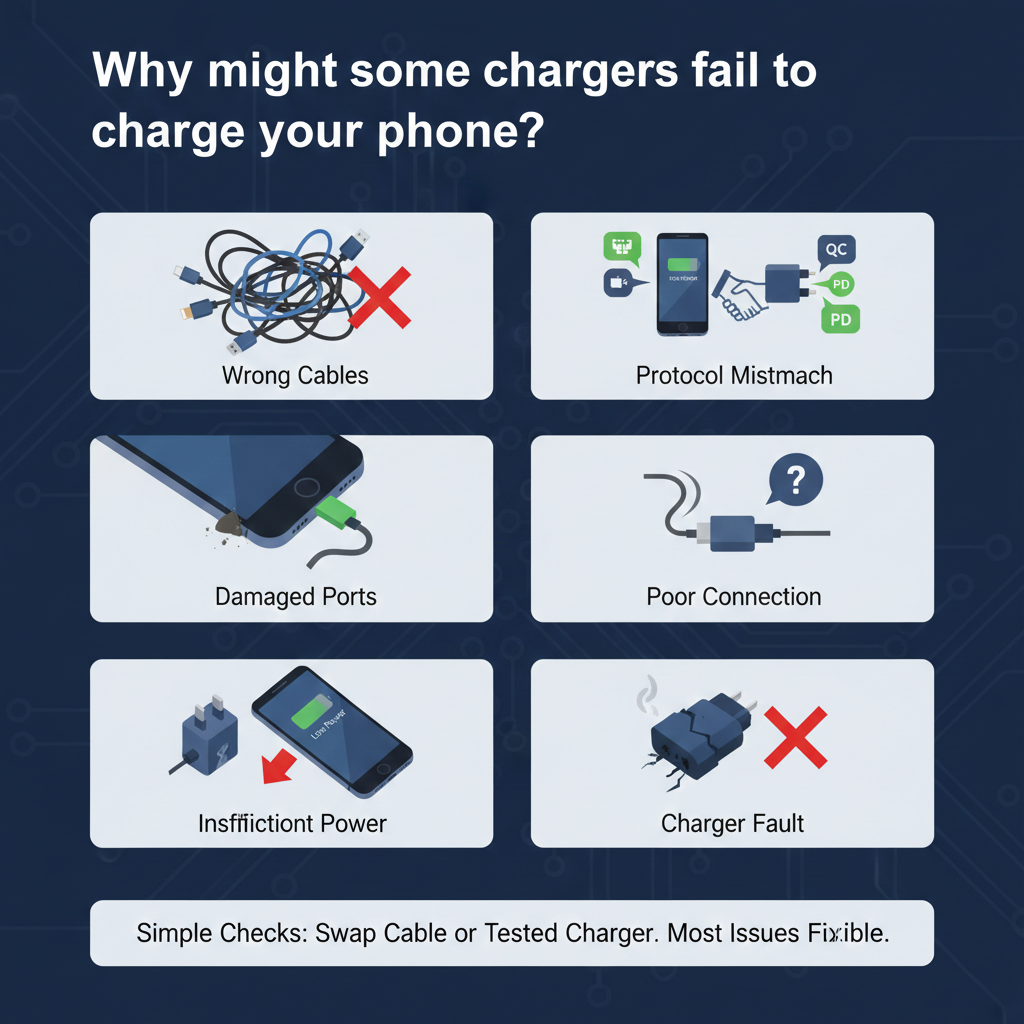
Cable issues: The cable may be power-only, data-only, or damaged. Broken wires or poor connectors stop charging. Some cables are for audio only or only for data; check specs. Port problems: Dirt, lint, or bent pins in the phone’s port can block the connection. Clean ports gently with a soft brush or toothpick after powering off the phone. Protocol mismatch: The charger and phone may not agree on a fast-charge method, so charging is very slow or seems to fail. Use a PD-capable charger for modern phones. Insufficient power: A low-power USB port (like an older laptop USB-A) might not provide enough current. Try a wall adapter with higher rated output. Charger faults: The charger itself may be faulty, overheated, or have blown components. Test with another phone or use a multimeter if you can. Safety features: Phones and chargers may stop charging if the battery is too hot or cold, or if the phone detects a fault. Let the phone cool and retry. Firmware or software: Some phones require updates for charging fixes. Check for updates and reboot. In short, start by swapping the cable, trying another adapter, and cleaning ports. If the phone still won’t charge, use a certified charger[^15] or service the phone.
I always carry a tested spare cable and a PD charger to avoid charging surprises while traveling.
Conclusion
Not all phone chargers are universally compatible, and using the right charger for your device is essential for efficient, safe charging. Different charging standards, such as USB-C[^3], Lightning[^4], and Micro-USB[^5], as well as the protocols for fast charging[^11], require attention to detail. By understanding the requirements of your device and choosing the appropriate charger, you can ensure that your phone charges quickly and safely, while also avoiding potential issues like slow charging or damage.
[^1]: Discover the factors affecting charging speed and how to choose the right charger for optimal performance. [^2]: Stay updated on the latest advancements in charging technologies and how they can benefit your devices. [^3]: Explore the versatility of USB-C, its benefits, and how it enhances charging speed and compatibility. [^4]: Learn about Apple's Lightning connector, its unique features, and why using certified accessories is crucial. [^5]: Understand the drawbacks of Micro-USB, especially in terms of charging speed and compatibility with modern devices. [^6]: Learn about USB PD, its advantages, and how it enables faster and more efficient charging for devices. [^7]: Explore QC technology, its benefits, and how it compares to other fast charging solutions. [^8]: Find out how Samsung's charging technology optimizes power delivery for faster charging on Galaxy devices. [^9]: Discover the unique features of OnePlus Warp charging and how it enhances the user experience. [^10]: Learn about VOOC technology and how it provides rapid charging solutions for Oppo devices. [^11]: Uncover the technology behind fast charging and how it can significantly reduce your phone's charging time. [^12]: Understand the implications of protocol mismatch and how to ensure compatibility for efficient charging. [^13]: Explore how physical damage to charging ports can hinder performance and what to do about it. [^14]: Learn about the reasons behind insufficient power and how to choose the right charger for your device. [^15]: Discover the benefits of using certified chargers and how they ensure safety and efficiency.